Create a video

Required photos2
Settings
Mode
Video length21s
Resolution

Fancy Cafe AI Video Generator

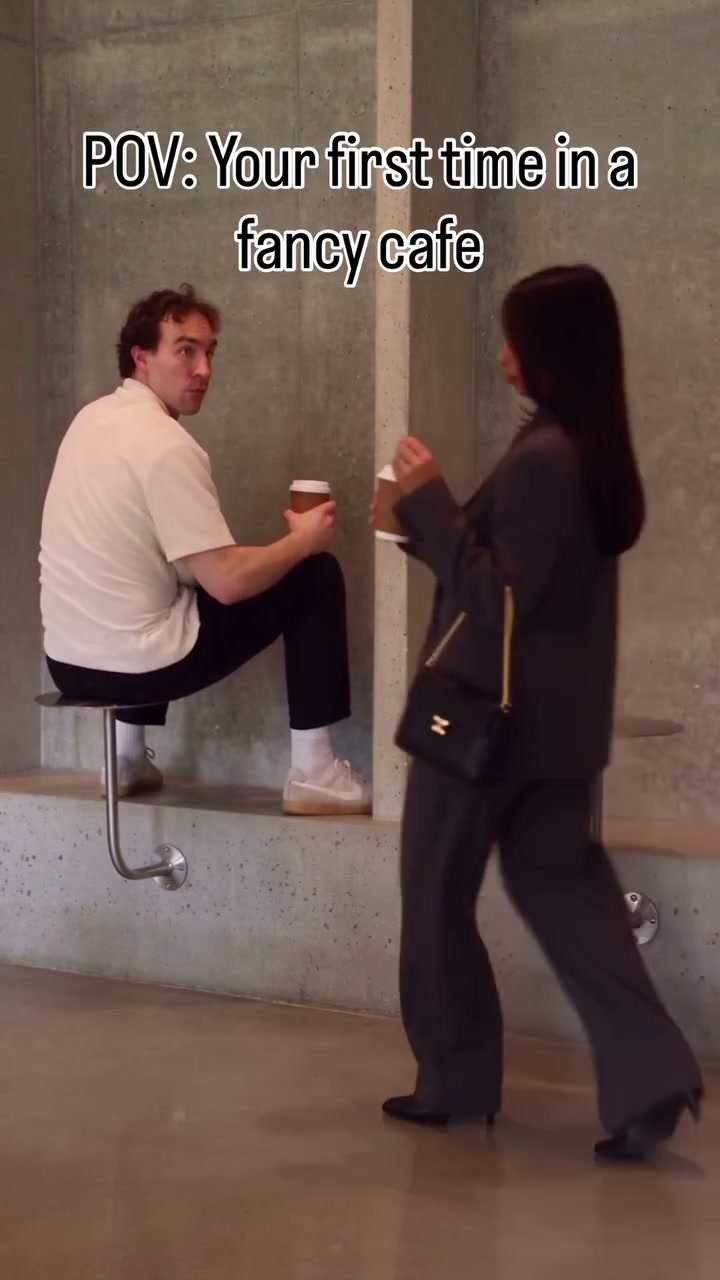
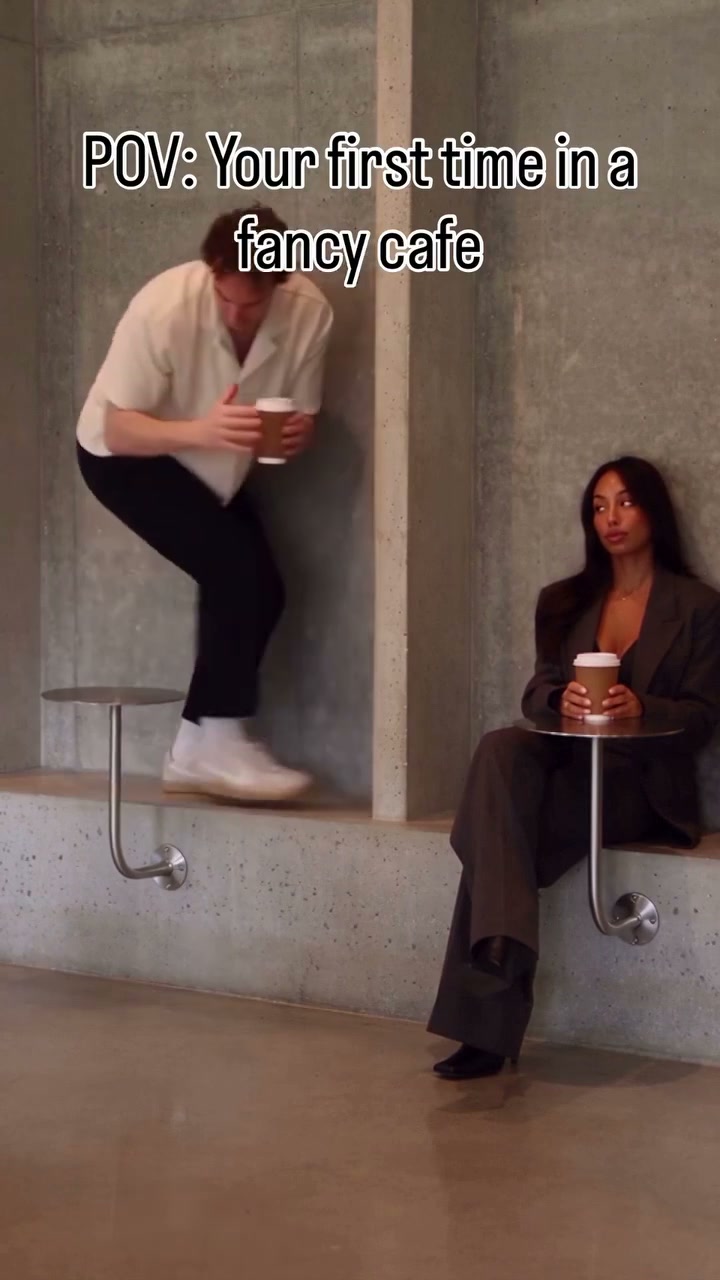
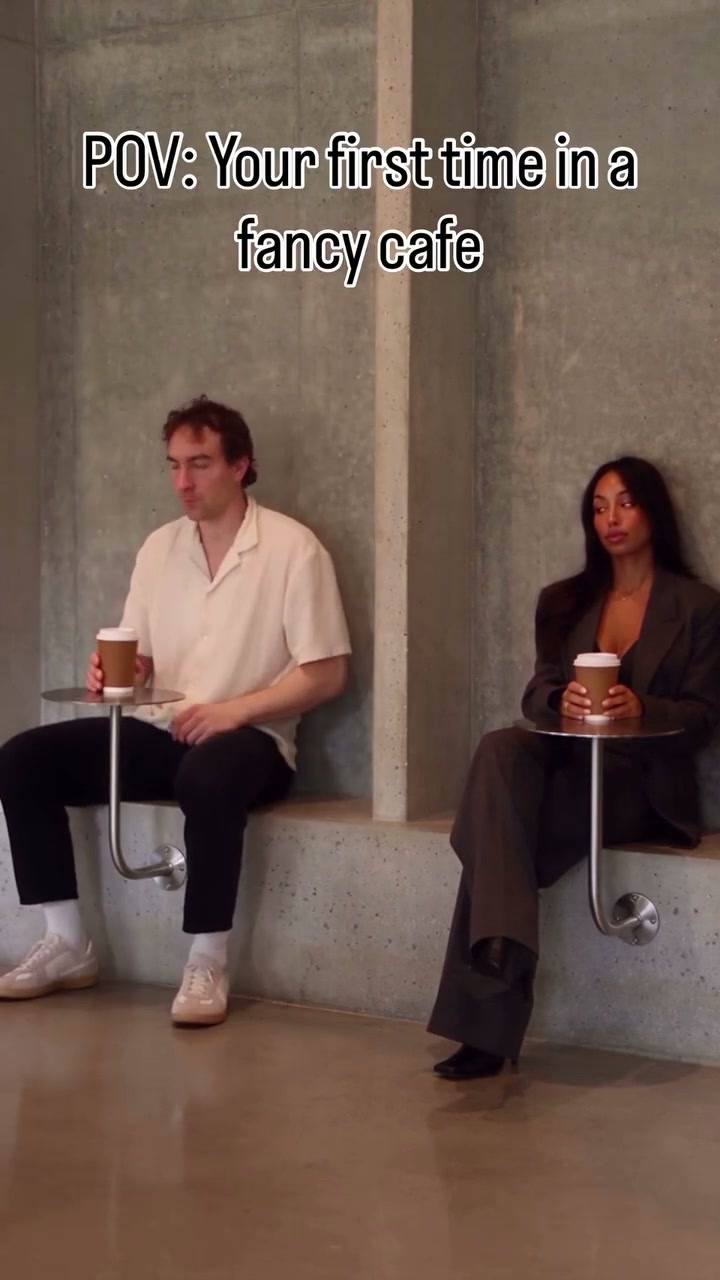
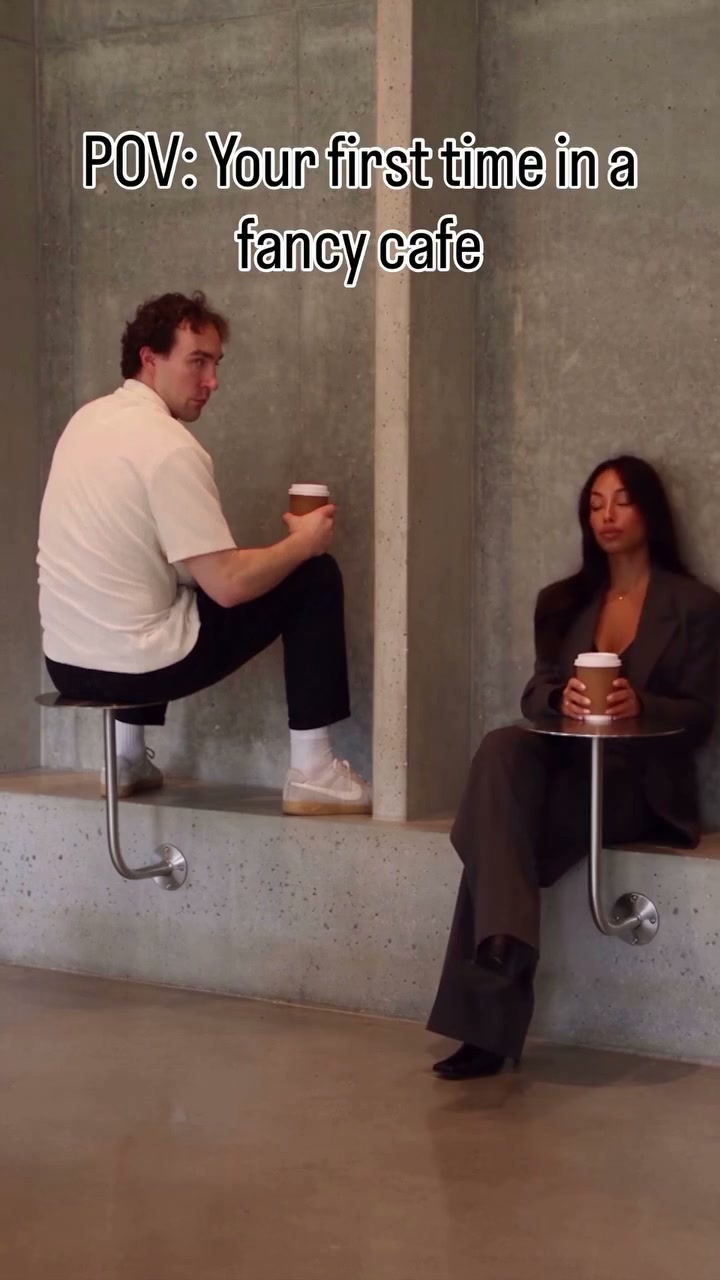
Cast the prepared scene with two separate full-body photos. One visitor is perched above a cafe table. A second person sits nearby, prompting the first to notice, climb down and react. Includes reference sound.

What is Fancy Cafe AI?

Fancy Cafe AI is a fixed video effect you can recast with two separate full-body photos. The supplied footage guides movement, camera and timing while your images describe the chosen appearances. The original reference runs about 21 seconds; the selected reference mode may use a shorter section. Preview the footage before creating to make sure its action fits your idea.

Fancy Cafe AI original reference performance

How to create Fancy Cafe AI

Start in the workspace above and review the input roles before you submit.

  1. STEP 1

    Assign the photos

    Prepare two separate full-body photos. Use the labeled input cards in the workspace to assign each photo to its role, then check the preview before continuing.

  2. STEP 2

    Check your settings

    Review the reference mode, available settings and credit quote. Sign in and select Generate only when the inputs are ready.

  3. STEP 3

    Review and download

    Open the result in My creations and check the climb down, seating contact and the two visitors’ identities. Download the version you want to keep.

Explore the Fancy Cafe AI reference

Watch the original reference to understand the scene and the available cast.

Choose the cast for Fancy Cafe AI

Photo 1 is the first visitor perched on the left; Photo 2 is the visitor who enters from the right. Include shoes and a full outfit in both photos, especially for the first visitor’s climb down. Use separate, unobstructed images. The labeled positions determine who the images represent throughout the clip. A clear input can help the model interpret the appearance, although small details can still change in the finished video.

Fancy Cafe AI reference video frame

Follow the Fancy Cafe AI performance

One visitor is perched above a cafe table. A second person sits nearby, prompting the first to notice, climb down and react. The concrete cafe, furniture and cups come from the reference. The uploads do not create a new table or location. The original reference provides the performance and cuts, so there is no need to record each gesture. Review the selected reference mode because the original and shorter versions cover different portions when a shorter version is available.

Fancy Cafe AI reference video frame

Use and review your Fancy Cafe AI video

Use Fancy Cafe AI when this prepared action fits your idea. You can review the generated result in My creations, then download a version for your own edit. Check the climb down, seating contact and the two visitors’ identities. Results vary, particularly when hands, faces or clothing are obscured. For public sharing, review the permissions for your photos, the reference footage and its audio.

Fancy Cafe AI reference video frame

Is Fancy Cafe AI right for your idea?

Compare the reference action and photo slots with the result you want.

Input

Prepare two separate full-body photos and use the labels to assign each image.

Reference

Preview the available reference selection and decide whether its action and framing suit your idea.

Review

Check the climb down, seating contact and the two visitors’ identities in the finished result.

Fancy Cafe AI credits

The workspace shows the applicable quote for the selected reference and settings. Plan examples can use different durations.

Starter

For your first ideas.

$8.3/month

$100.0 charged yearly

2,400 credits/year

Up to 400 images

GPT Image 2Nano Banana Pro

Up to 133 videos

Seedance 2.5Kling 3.0 Motion Control
  • Up to 4K images and HD videos, depending on the model
  • Image editing, video creation & motion transfer
  • Watermark-free image & video downloads
  • Generation history in your account
Popular40% OFFSave $238.8

Pro

For a steady creative flow.

$30.0/month$49.9/month

$360.0 charged yearly

21,600 credits/year

Up to 3,600 images

GPT Image 2Nano Banana Pro

Up to 1,200 videos

Seedance 2.5Kling 3.0 Motion Control
  • Up to 4K images and HD videos, depending on the model
  • Image editing, video creation & motion transfer
  • Watermark-free image & video downloads
  • Generation history in your account
  • Use credits across image and video models
Best Value50% OFFSave $599.8

Business

For more creations, more often.

$49.9/month$99.9/month

$599.0 charged yearly

48,000 credits/year

Up to 8,000 images

GPT Image 2Nano Banana Pro

Up to 2,666 videos

Seedance 2.5Kling 3.0 Motion Control
  • Up to 4K images and HD videos, depending on the model
  • Image editing, video creation & motion transfer
  • Watermark-free image & video downloads
  • Generation history in your account
  • Use credits across image and video models

Basic

$0

Try before you subscribe

  • 18 one-time signup credits
  • Generation history included
  • Watermarked previews & downloads
  • Up to 3 images or 1 video
  • Watermark-free downloads require payment

Prices in USD; taxes and total shown at checkout. Subscriptions renew automatically; cancel in Billing settings. Subscription credits expire each period; one-time credits never expire. Refund requests: within 72 hours. Eligible refunds deduct used purchased credits and, where permitted, actual non-returned processing fees. Processing fees are capped at 6% of the original purchase amount, excluding separately charged taxes. Terms · Refund Policy.

Annual plans are charged for the full year upfront; the monthly figure is an average. Subscriptions renew automatically until canceled in Billing settings. Request a refund within 72 hours of payment. Eligible refunds are reduced in proportion to purchased credits used. Where legally permitted, we may also deduct actual processing costs not returned to us, capped at 6% of the amount paid before separately charged taxes. We cover these fees for our billing errors or service faults. Separate bonus credits do not reduce your refund. Your statutory rights are unaffected. Terms · Refund Policy

Fancy Cafe AI questions

Review the inputs, sound and generation details.

What photos does Fancy Cafe AI need?

This template uses two separate full-body photos. The labeled cards identify the person for each slot; use a distinct, clear image for each required role.

What sound does Fancy Cafe AI use?

The delivery flow attempts to restore the reference audio to the generated visual. If restoration fails, the result may be silent. Preview the clip to hear its source sound; a new voice or song selector is not provided. Check the relevant rights before sharing.

Can I change the scene in Fancy Cafe AI?

The concrete cafe, furniture and cups come from the reference. The uploads do not create a new table or location. The prepared reference controls its action and camera. Choose another template or the general workspace when you need a different performance.

How much does Fancy Cafe AI cost?

Check the Generate quote after choosing the available reference mode and settings. An account and enough credits are required to submit; viewing the reference and adding photos do not themselves start a paid generation.

Will the result match my photos exactly?

Appearance is interpreted through the reference, so details can vary. Include shoes and a full outfit in both photos, especially for the first visitor’s climb down. Use separate, unobstructed images. Review the climb down, seating contact and the two visitors’ identities before sharing.

Do I need to write a prompt for Fancy Cafe AI?

The fixed template supplies the reference and motion instructions. Focus on the labeled photos and the available settings; the general workspace offers a different workflow for custom references.

What should I review before sharing Fancy Cafe AI?

Watch the entire result and listen to the reference audio. Check faces, hands and interactions, then review the permissions and consent relevant to your photos, footage and soundtrack.

Ready to make Fancy Cafe AI?

Return to the workspace, assign your photos and check the quote.

Fancy Cafe AI original reference performance