AI Genjutsu logoAI Genjutsu
Home
LogoAI Genjutsu

Explore Genjutsu AI video editing with Motion Transfer, Object Swap, and ready-made presets. Bring your own clip and references.

Product

  • Hotel Lobby AI
  • STORM II AI
  • Raindance AI
  • Put A Ring On It Dog AI
  • Car Jump AI
  • Burning Bridges AI
  • Gas Station Dance AI
  • Higgsfield Genjutsu motion transfer

Resources

  • Pricing

Legal

  • Privacy Policy
  • Terms of Service
  • Acceptable Use Policy
  • Refund Policy
  • Cookie Policy

support@aigenjutsu.appAI Genjutsu ©️ 2026 All Rights Reserved.

AI Genjutsu is an independent tool and is not affiliated with Higgsfield.

Creation mode
Reference video 2–30s
Prompt is required
Estimated credits119 credits
View all

AI Video Generator for New Scenes

Give your next idea a moving scene. Start the AI video generator with words, a picture, or supported references.

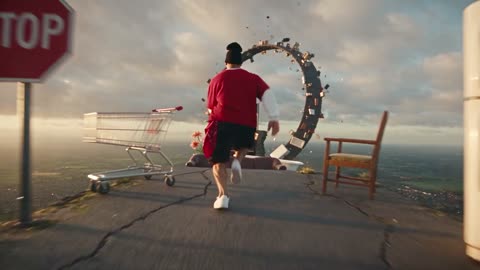
Runner crossing floating platforms above a sunlit landscape

Choose what should guide the video

The AI video generator begins with your available material: words for a new scene, an image for a visual starting point, or supported references for additional direction. The model determines the controls. For recreating a specific existing performance with a new cast, use the homepage workspace or a dedicated Genjutsu preset.

A figure swinging between city buildings toward the sunset

Start an AI video generator request

Prepare your AI video generator inputs, review the settings, and compare the result with your brief.

  1. Prompt

    A runner crosses floating platforms above a sunlit landscape.

    Text to video

    STEP 1

    Select your starting point

    Use text for a new scene, an image for a visual continuation, or a supported reference mode for additional media. Keep the main action clear.

  2. Seedance 2.0
    Resolution480p
    Length10s
    AudioOff
    AspectAuto

    STEP 2

    Review the output choices

    Choose the AI video generator’s supported duration, frame, resolution, and sound settings. Check the updated credit estimate before submission.

  3. MP4

    STEP 3

    Watch the result

    Sign in and submit when ready. Play the whole video in My creations, inspect the movement and details, and download a useful version for your next step.

AI video generator ideas for your next project

Explore different inputs and camera ideas around one clear creative brief.

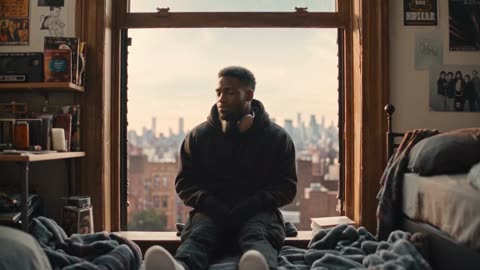
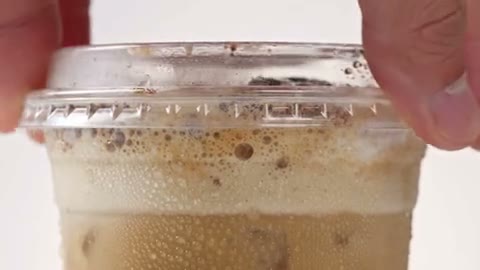
Turn a product idea into a short moment

Explore a reveal, camera move, or product moment with the AI video generator. Describe what the viewer should notice and use supported references to communicate appearance. Inspect shapes, labels, and small details before representing a real item. The examples illustrate creative directions rather than verified outputs from this site.

Product story
Product story

Make the camera part of the idea

A slow approach, orbit, or moving viewpoint gives a scene a different feeling. Use the AI video generator to interpret a clear camera direction alongside the subject’s action. The examples explain the effect of perspective, without guaranteeing an exact path. Review framing and pacing in the completed shot.

Traveling viewpoint
Traveling viewpoint

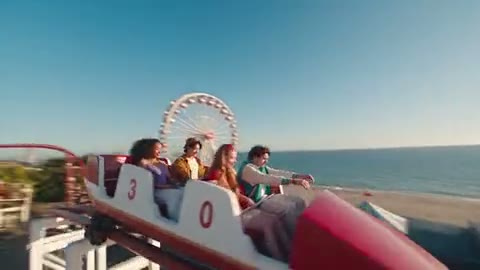
Explore a scene you cannot easily film

Imagine a fictional place or an impossible journey as one focused moment. The AI video generator turns the described subject, action, and environment into a short visual concept. A simple brief is easier to judge than an entire multi-scene story. Check continuity and unwanted details before using the clip in a larger edit.

Creative short
Creative short

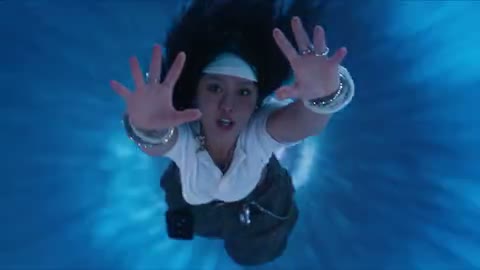
Give a character a clear action

Choose a meaningful character gesture and describe how the camera should see it. An image can guide appearance on supported AI video generator modes. Check face, hands, clothing, and transitions throughout the result. Use a separate video reference when your goal is to follow an existing choreography.

Give a character a clear action

Use the AI video generator when the scene starts with you

This workspace suits a new visual moment whose movement you want to describe.

A moving concept for a pitch

Create a short shot to communicate mood, camera direction, or character action. The AI video generator can make an idea easier to discuss, but the result is a generated concept rather than proof that a final production can reproduce it unchanged.

An addition to a larger edit

Choose the duration and frame offered by your model with the surrounding project in mind. Download a completed clip, then handle precise cuts, titles, and sound assembly in your editor. This workspace is not a full timeline-editing application.

A still with a next moment

Use a starting image when the visual design is ready and motion is the remaining decision. Preserve the idea by describing a focused action. Review the continuation carefully because generated frames can introduce new visual details.

AI video generator inputs and controls

Available options change with the selected model and mode.

Text to video

Describe the subject, action, setting, and viewpoint on a model that supports text-led generation. You can begin without a starting image when the scene is still an idea.

Image to video

Add one picture to establish a starting frame, then describe the movement. This gives the AI video generator a visual starting point rather than an exact guarantee for every later frame.

Frames and references

Supported models offer start/end frames or reference modes. Use the controls shown for your current choice, and check input limits before building a request around several files.

AI video generator models

The picker exposes the site’s published general video models. Switching models can change accepted inputs, duration, frame, resolution, and price. Review the setup again after a switch.

Optional sound

A Sound control appears only when supported by the model. Its effect on the estimate is included before submission. Generated audio and the soundtrack-restoration behavior of fixed trend presets are different workflows.

Result review and history

My creations follows your AI video generator requests. Play and download an available completed clip, or use View all to revisit saved videos.

AI credits

The estimate beside Generate reflects your current AI Video Generator request. Preparing a draft does not spend generation credits; a submitted variation is a new request.

Starter

For your first ideas.

$8.3/month

$100.0 charged yearly

2,400 credits/year

Up to 400 images

GPT Image 2Nano Banana Pro

Up to 240 videos

Seedance 2.5Kling 3.0 Motion Control
  • Up to 4K images and HD videos, depending on the model
  • Image editing, video creation & motion transfer
  • Watermark-free image & video downloads
  • Generation history in your account
Popular40% OFF · Save $238.8

Pro

For a steady creative flow.

$30.0/month$49.9/month

$360.0 charged yearly

21,600 credits/year

Up to 3,600 images

GPT Image 2Nano Banana Pro

Up to 2,160 videos

Seedance 2.5Kling 3.0 Motion Control
  • Up to 4K images and HD videos, depending on the model
  • Image editing, video creation & motion transfer
  • Watermark-free image & video downloads
  • Generation history in your account
  • Use credits across image and video models
Best Value50% OFF · Save $599.8

Business

For more creations, more often.

$49.9/month$99.9/month

$599.0 charged yearly

48,000 credits/year

Up to 8,000 images

GPT Image 2Nano Banana Pro

Up to 4,800 videos

Seedance 2.5Kling 3.0 Motion Control
  • Up to 4K images and HD videos, depending on the model
  • Image editing, video creation & motion transfer
  • Watermark-free image & video downloads
  • Generation history in your account
  • Use credits across image and video models

Basic

$0

Try before you subscribe

  • 18 one-time signup credits
  • Generation history included
  • Watermarked previews & downloads
  • Up to 3 images or 1 video
  • Watermark-free downloads require payment

Prices in USD; taxes and total shown at checkout. Subscriptions renew automatically; cancel in Billing settings. Subscription credits expire each period; one-time credits never expire. Refund requests: within 72 hours. Eligible refunds deduct used purchased credits and, where permitted, actual non-returned processing fees. Processing fees are capped at 6% of the original purchase amount, excluding separately charged taxes. Terms · Refund Policy.

AI FAQ

Inputs, output choices, credits, and results in the AI video generator.

How is this AI video generator different from the homepage?

This AI video generator focuses on general clip creation from text, images, or supported references. The homepage emphasizes using a performance video to guide changes to characters or objects. Choose the entry that matches the material and movement you already have.

Does the AI video generator always need a picture?

No. AI video generator models with text-to-video mode can start from a written brief. A starting image is useful when a character, product, or scene already has a visual design. The active model determines the modes you can select.

Can I use several references in the AI video generator?

Only AI video generator modes and models that support multiple references expose those inputs. Read the accepted formats and limits in the composer. Adding more files does not guarantee better consistency; each reference should explain a part of the scene you actually want.

Can the AI video generator make sound?

Compatible AI video generator models expose a Sound switch. Enable it before submission when you want supported generated audio, and inspect the estimate for any change. A model without that control does not gain audio simply because the prompt mentions music.

Can I set the AI video generator length?

Use the AI video generator duration options displayed for your chosen model and mode. The exact choices vary. Reference-edit modes may follow source length instead, so check the current interface rather than assuming every request uses the same duration picker.

Will the AI video generator preserve my character?

An AI video generator reference can guide appearance, but new frames may alter the face, hands, clothes, or small details. Review the complete clip. Clear inputs and a focused action make the intended result easier to judge without guaranteeing exact preservation.

How is the AI video generator priced?

The AI video generator estimate depends on the current model and settings, including supported output size, length, and sound. Check it after changes. A submitted request requires sign-in and enough credits, while editing the draft does not start generation.

Where can I find AI video generator results?

Use My creations in the AI video generator to follow the request and open an available completed clip. View all leads to saved video history. A download is a useful point for further trimming, captions, or assembly in your own editor.

Are the example videos generated on AI Genjutsu?

The AI video generator uses identified community and official reference examples to illustrate creative directions. They are not verified outputs from this site. Your request should be judged against its actual inputs, settings, and completed result.

Can I publish an AI video generator clip?

Confirm rights to your inputs and the intended use, inspect the output, and follow the destination’s rules for AI-created media. The tool does not automatically clear music, recognizable people, third-party characters, or trademarks for publication.

Choose a more specific starting point

  • Green coupe in a sunlit architectural settingImage to VideoBegin directly with one picture and a movement idea.
  • Clay-style character illustrationHotel Lobby AIRecast a prepared two-person performance from photos.
  • A fashion scene with movementGenjutsu AI workspaceChoose a reference clip for a character or object edit.

Create with the AI video generator

Open the AI video generator above and choose the starting material for your next idea.

Create
A figure holding a butterfly while falling through a bright tunnel of light