Create a video

ModelSeedance 2.5 Edit

Configured for this template

Cheba Man reference · 17.1s

Main character · Photo 1

Cheba Man AI Dance Maker

Take the center of the circle. Cheba Man AI brings your character into the loaded dance with one photo.

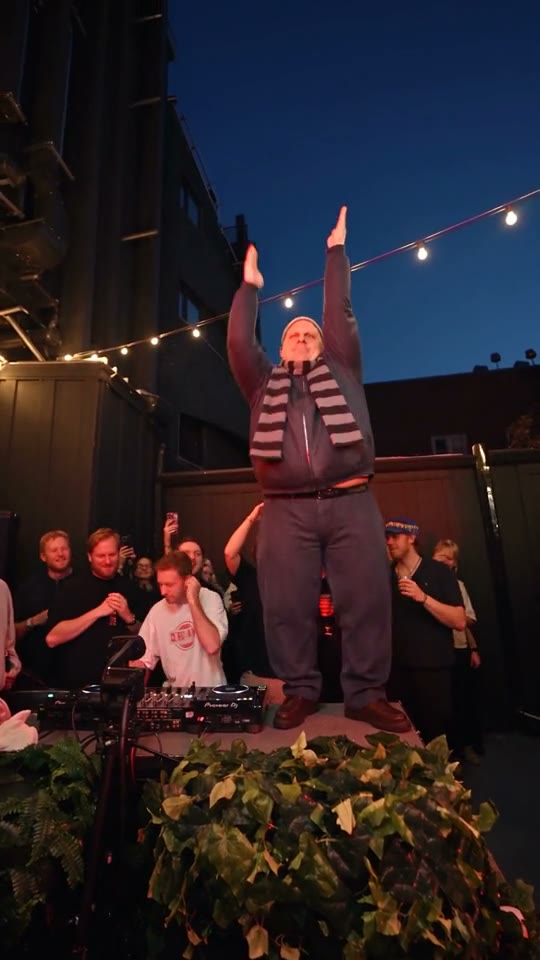
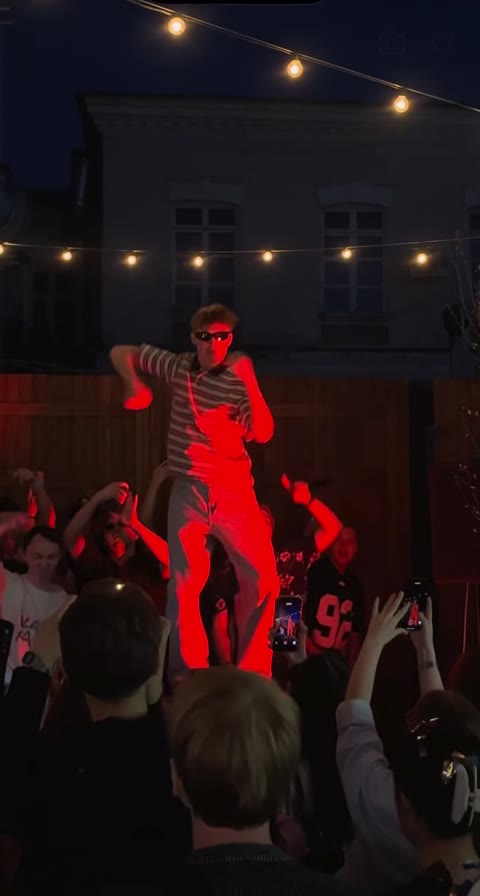
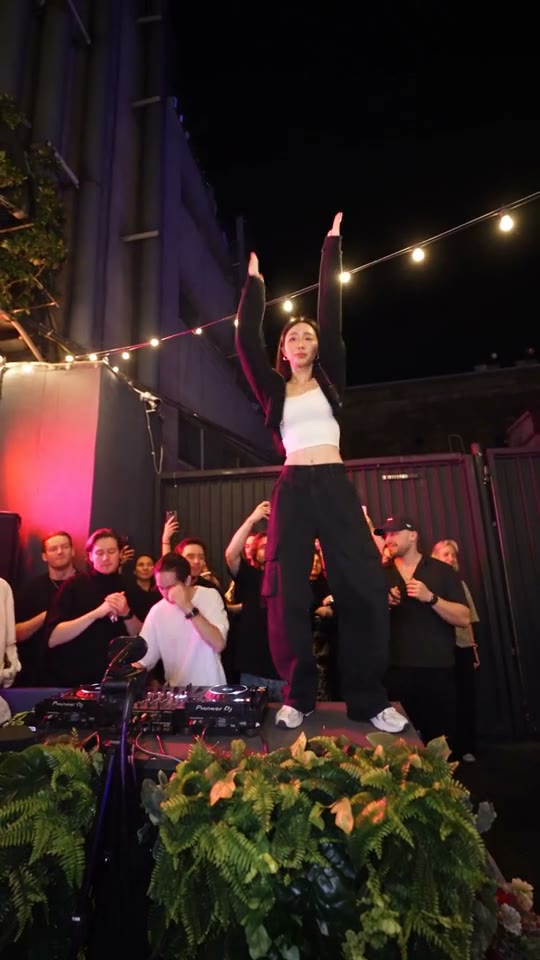
Central dancer under red light with spectators filming around the stage

One character becomes the focus of the crowd

Cheba Man AI puts a new main dancer inside a prepared crowd performance. One picture supplies the lead’s appearance, while the reference supplies the surrounding people, camera, and routine. Preview the exact scene, then choose the person and outfit you want viewers to follow at its center.

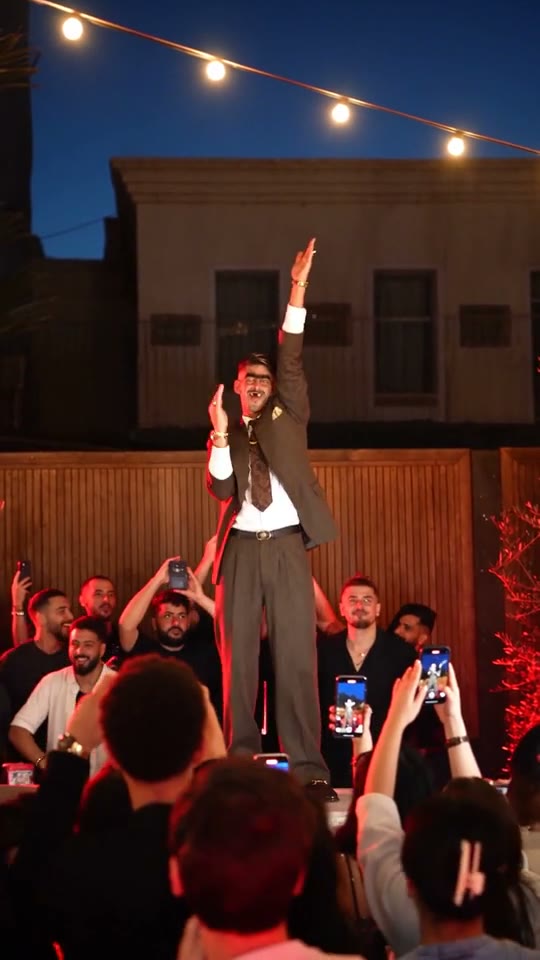
Cheba Man AI dance with a central performer wearing a suit and tie

Create your Cheba Man AI performance

Start with the person you want to see in the middle of the crowd.

  1. STEP 1

    Preview the routine

    Watch the reference and notice the main dancer’s gestures, nearby people, and camera framing. Confirm that this is your intended performance.

  2. STEP 2

    Choose one character

    Upload a sharp picture with visible facial features and clothing. Inspect the preview, select a resolution, and read the estimate.

  3. STEP 3

    Generate the dance

    Sign in and submit when ready. In My creations, review the full Cheba Man AI clip with sound before downloading or considering another version.

Change the person at the heart of the scene

The examples show different styling ideas within the same crowded dance setup.

Make the outfit part of the performance

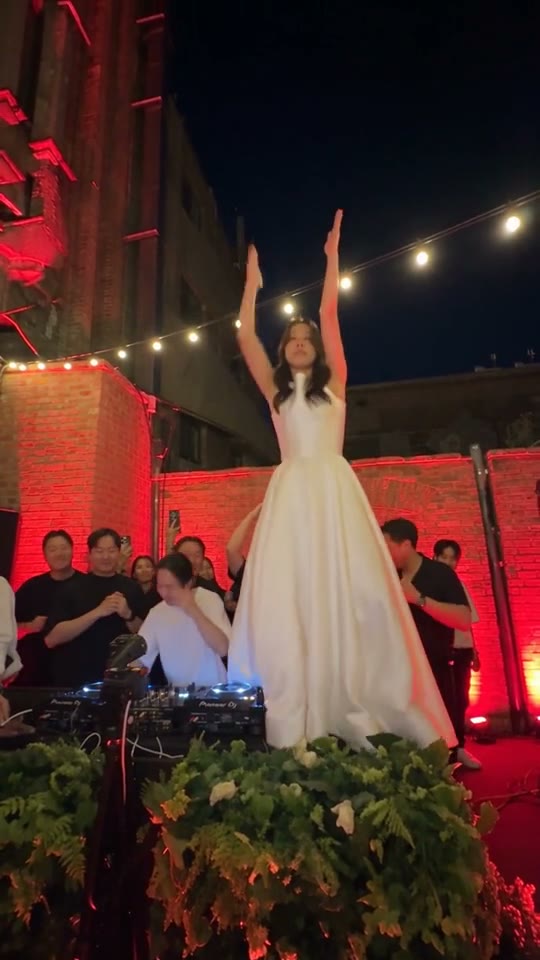
A flowing dress, sharp jacket, or relaxed streetwear gives Cheba Man AI a different personality. Show enough of the outfit to communicate its silhouette. The photos guide appearance while the source retains its dance; fine fabrics and accessories may be interpreted differently as they move. Treat the examples as creative directions.
Make the outfit part of the performance

Keep the character readable among the onlookers

Cheba Man AI asks to replace the main dancer while retaining the nearby people. Arms, phones, and onlookers can pass across the subject, making a clear input especially useful. Review those overlaps in the finished video as well as the open poses to assess whether the lead remains recognizable.

Keep the character readable among the onlookers

Give a recognizable detail a chance to move

A scarf, hairstyle, or strong color can make Cheba Man AI feel personal. Large visual features are easier to judge than tiny jewelry or lettering. The roughly 17-second vertical source provides a complete performance with reference audio. Watch it all before choosing a shorter excerpt from your download.

Give a recognizable detail a chance to move

Choose Cheba Man AI for a solo spotlight

This template centers on one performer while the surrounding scene remains the reference.

Your own dance appearance

Use a clear photo of yourself to explore the routine without filming a take. Cheba Man AI supplies the existing gestures and setting. Choose an outfit you want to see moving and review whether its shape carries through the full performance.

A greeting for someone you know

With their consent, cast a friend in the central role for a birthday or shared joke. Use a flattering reference, and check the generated portrayal before sending it. The template does not turn a private photo into permission to publish it.

A character with a strong silhouette

Bring an original design with a readable face and distinctive wardrobe. A scarf or jacket can establish personality quickly. Cheba Man AI still follows human movement, so unusual proportions may need careful review rather than an assumption of exact transfer.

Cheba Man AI choices

The loaded routine handles the staging while you choose the lead and output size.

One photo for the main dancer

Photo 1 is the only required character image. A collage or a group shot makes the intended person less clear. Replace the selected photo to try another appearance before submitting.

Prepared performance instructions

Seedance 2.5 Edit is configured with instructions for the central role and surrounding scene. Keep the default prompt to begin; optional custom wording should maintain that role assignment.

Three resolution levels

Settings offers 480p, 720p, and 1080p. The estimate changes with the selection. More pixels do not guarantee a better face or repair a blurred reference.

Source soundtrack and timing

Cheba Man AI follows the vertical source for about 17 seconds and is configured to return its reference audio. There is no duration picker or separate song-upload step here.

Cheba Man AI credits

The estimate beside Generate reflects your current Cheba Man AI request. Preparing a draft does not spend generation credits; a submitted variation is a new request.

Starter

For your first ideas.

$8.3/month

$100.0 charged yearly

2,400 credits/year

Up to 400 images

GPT Image 2Nano Banana Pro

Up to 240 videos

Seedance 2.5Kling 3.0 Motion Control
  • Up to 4K images and HD videos, depending on the model
  • Image editing, video creation & motion transfer
  • Watermark-free image & video downloads
  • Generation history in your account
Popular40% OFFSave $238.8

Pro

For a steady creative flow.

$30.0/month$49.9/month

$360.0 charged yearly

21,600 credits/year

Up to 3,600 images

GPT Image 2Nano Banana Pro

Up to 2,160 videos

Seedance 2.5Kling 3.0 Motion Control
  • Up to 4K images and HD videos, depending on the model
  • Image editing, video creation & motion transfer
  • Watermark-free image & video downloads
  • Generation history in your account
  • Use credits across image and video models
Best Value50% OFFSave $599.8

Business

For more creations, more often.

$49.9/month$99.9/month

$599.0 charged yearly

48,000 credits/year

Up to 8,000 images

GPT Image 2Nano Banana Pro

Up to 4,800 videos

Seedance 2.5Kling 3.0 Motion Control
  • Up to 4K images and HD videos, depending on the model
  • Image editing, video creation & motion transfer
  • Watermark-free image & video downloads
  • Generation history in your account
  • Use credits across image and video models

Basic

$0

Try before you subscribe

  • 18 one-time signup credits
  • Generation history included
  • Watermarked previews & downloads
  • Up to 3 images or 1 video
  • Watermark-free downloads require payment

Prices in USD; taxes and total shown at checkout. Subscriptions renew automatically; cancel in Billing settings. Subscription credits expire each period; one-time credits never expire. Refund requests: within 72 hours. Eligible refunds deduct used purchased credits and, where permitted, actual non-returned processing fees. Processing fees are capped at 6% of the original purchase amount, excluding separately charged taxes. Terms · Refund Policy.

Cheba Man AI FAQ

Answers to help you choose your inputs and understand the finished result.

What does Cheba Man AI replace?

The Cheba Man AI prompt assigns your photo to the central main character. It asks to keep the routine and surrounding people. The whole result still comes from a video edit model, so nearby faces and background details should be checked rather than assumed identical.

How many pictures does Cheba Man AI require?

Cheba Man AI uses one image of a single intended performer. The source video is provided by the page. You do not need photos for the crowd, and extra faces in the upload do not create additional assigned roles.

What photo works for a Cheba Man AI outfit idea?

For Cheba Man AI, pick a view that shows the face, hairstyle, and the clothing you want to carry into the scene. A waist-up or wider image can describe more of the outfit than a tight headshot. Avoid strong blur, heavy filters, or hands hiding the face.

Can Cheba Man AI change the background?

Cheba Man AI is arranged around its existing scene. For a different location or a broader edit, use the main workspace with your own reference. Requesting a completely different setting in this preset can conflict with its prepared instructions.

Does Cheba Man AI include music?

Cheba Man AI is set up to add the original reference soundtrack to the generated visuals. No separate audio upload is required. Enable playback sound when reviewing the completed clip, since the page player may start muted.

Can I change the Cheba Man AI duration?

Cheba Man AI follows the roughly 17-second vertical reference. It has no independent length selector. A higher resolution affects output dimensions and the estimate, while a shorter excerpt can be cut from a completed download.

Why can Cheba Man AI lose facial detail?

In Cheba Man AI, fast gestures and nearby people can obscure the main performer. A model has to interpret the reference through those frames, which can change facial features, hands, or accessories. Inspect the difficult moments and improve an unclear upload before deciding to pay for another attempt.

How do Cheba Man AI credits work?

Read the Cheba Man AI estimate beside Generate after choosing your resolution. Preparing a photo does not start a job. Submission requires sign-in and enough credits, and a revised photo means a new request if you choose to generate it.

Where can I download Cheba Man AI results?

Use My creations or the available video-history view to open a completed clip. Watch it with sound and inspect the central character across the whole routine. Keep the version that fits your intended portrayal before sharing it.

Can I share a Cheba Man AI dance?

Get permission for the photos and any person you portray, and confirm the rights to the reference footage and music. The preset does not provide a blanket license. Follow your destination’s AI-content rules and avoid presenting the generated performance as a real recording.

Step into Cheba Man AI

Choose the person and outfit for the central performance.

Cheba Man AI dance with a woman in a flowing white dress