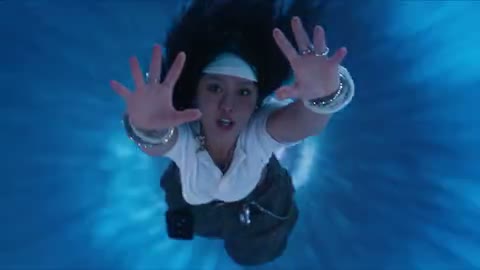
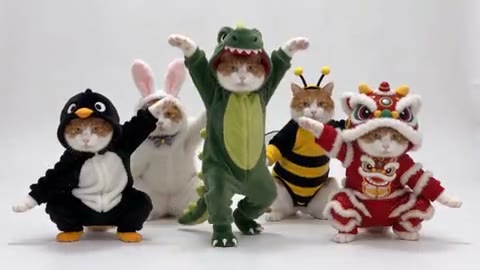
What is the starting image used for?
Image to Video uses it as the visual starting point for the clip. Your words describe movement beyond that frame. The model generates the continuation, so later details can change rather than remaining an exact copy of the still.
Do I need a motion video for Image to Video?
No separate performance clip is required for this starting-image workflow. If your goal is to reproduce a specific gesture or dance from an existing video, use the main Genjutsu AI workspace with a video reference instead.
What picture works best for Image to Video?
For Image to Video, use a clear image whose framing shows the parts of the subject involved in the motion. A visible face and upper body can suit a small gesture; a full-body action needs more visual information. Avoid heavy blur or major obstructions.
Can Image to Video animate an illustration?
Image to Video can use an authorized illustration as the starting picture. The selected model interprets its shapes and style as they move. Review whether the output keeps the qualities you need, especially when the original uses unusual anatomy or ambiguous perspective.
Can I choose an Image to Video model?
The Image to Video picker offers the models currently published for this workflow. Supported modes and settings follow your selection. Review the displayed controls before submitting, particularly after changing models in an existing draft.
Can Image to Video create a camera orbit?
Image to Video can interpret a camera movement in the prompt. An orbit asks the model to imagine parts of the scene outside the initial view, so new details may appear. Inspect the completed movement rather than assuming it will follow an exact path.
How long can an Image to Video clip be?
Use the Image to Video duration choices displayed by the selected model. Each model supports its own combination of length, resolution, frame, and sound. The current settings and estimate describe the request you will submit.
Will Image to Video preserve a logo or face exactly?
Image to Video does not guarantee exact preservation. New frames can change lettering, facial details, hands, or accessories. Review the result closely when those details affect your use, and choose a more focused motion if your original request revealed too much unseen information.
What does Image to Video cost?
Check the Image to Video estimate after selecting the model, length, resolution, and any supported sound option. You need sign-in and enough credits to generate. Preparing the picture or revising the prompt does not automatically submit another request.
Can I use Image to Video results in my project?
Download a completed Image to Video clip after reviewing it. Your rights to the starting image, any recognizable people or protected material, and the intended destination still apply. The tool does not provide a blanket license for every reference or final use.