AI Video Editor for Visual Transformations

Give an existing shot a new visual idea. Upload your clip, describe the transformation and add images for extra guidance.

AI Video Editor

Edit a video

Source video
MP4 or MOV · 4–30 seconds · Up to 50 MB
Reference images · optional
Prompt is required

Turn a familiar shot into a different world

An AI video edit starts from a moving source and generates a new interpretation. Ask for a luminous sky, an unexpected object or a different environment while describing the elements that should stay recognizable. The example uses Seedance 2.0 Mini; the editor uses Seedance 2.5 Edit, so outcomes can differ.

OriginalEdited
Sample created with Seedance 2.0 Mini video reference.

Create a transformation

Three decisions shape the generated take.

  1. STEP 1

    Select footage

    Upload one MP4 or MOV clip, 4–30 seconds and no larger than 50 MB.

  2. STEP 2

    Give visual direction

    Write the desired change and optionally attach image references for the look.

  3. STEP 3

    Render and evaluate

    Choose a resolution, review the estimate, sign in and submit. Watch the finished clip before downloading.

Explore a new visual direction

Start from motion you already have and develop a distinct scene.

Make the transformation specific

Describe the subject, the change and where it appears. For a street scene, you might ask for neon signs reflected in wet pavement while retaining the camera direction. A focused instruction is easier to assess than several unrelated effects in one request.

OriginalEdited
Add a visual reference when words are insufficient

Supply an optional image to guide an object, clothing or color palette. In your prompt, explain how the image relates to the video. Reference images guide the generation and do not promise exact duplication.

OriginalEdited

Inspect the whole transformation

After processing, open My creations to play and download the result. Compare the source and new video, paying attention to moving outlines, faces and continuity between frames.

OriginalEdited

Ideas for a first experiment

Choose a single change that is easy to compare with your original.

Atmosphere

Introduce fog, sunset or colorful lights around a recognizable subject.

Scene

Place a moving subject in a different visual environment.

Object

Describe a prominent object and use an image to guide its appearance.

Questions about video transformations

A few details to prepare your first edit.

What should my source video contain?

Use a clip you have permission to edit. MP4 and MOV files from 4 to 30 seconds, up to 50 MB, are accepted.

Do I need an image reference?

No. A source video and a written instruction are required; reference images are optional.

Will the original motion be identical?

The source guides the result, but AI generation can change timing, motion and details. Review the full video.

What determines the credit estimate?

The workspace calculates a quote from the source and selected output settings before you submit.

What could your scene become?

Choose a short video and describe one visible change.

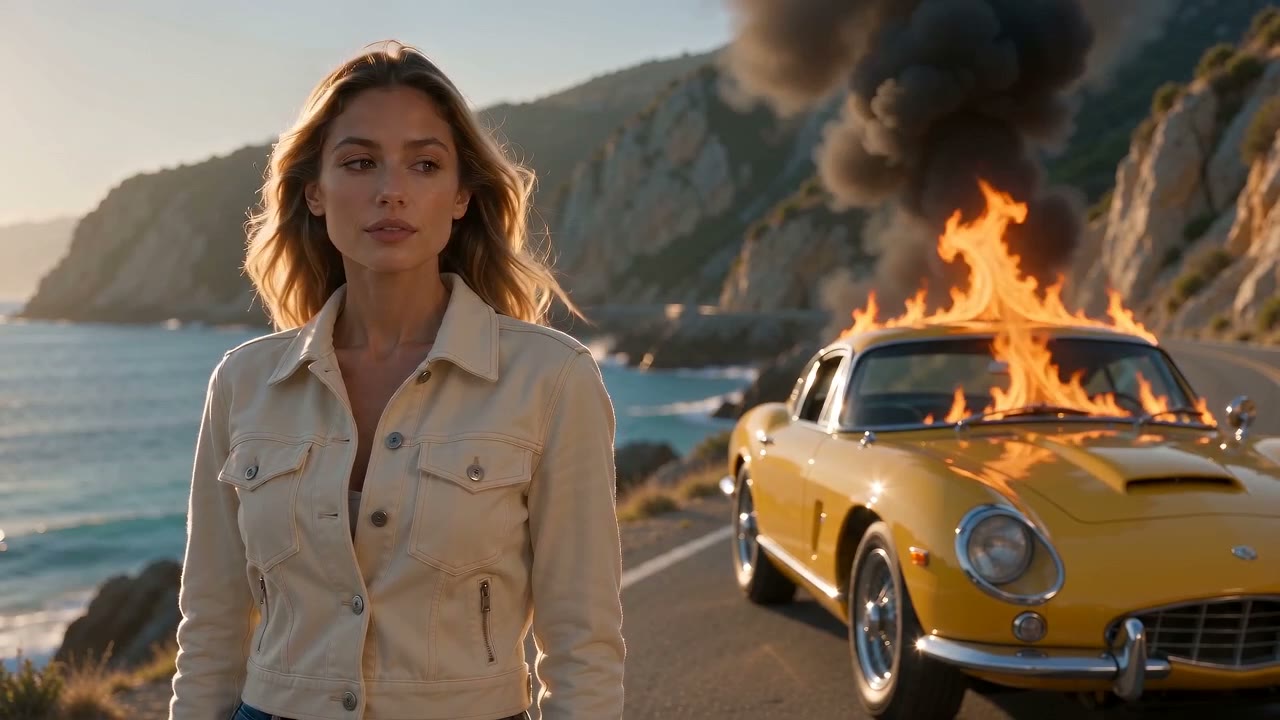
A coastal car scene gains fire and smoke