Create a video

ModelSeedance 2.5 Edit

Configured for this template

Car jump reference · 11.9s

Person · Photo 1
Vehicle · Photo 2

Car Jump AI Stunt Maker

Choose who sits in the chair and what flies overhead. Car jump AI puts your character and vehicle into one prepared stunt.

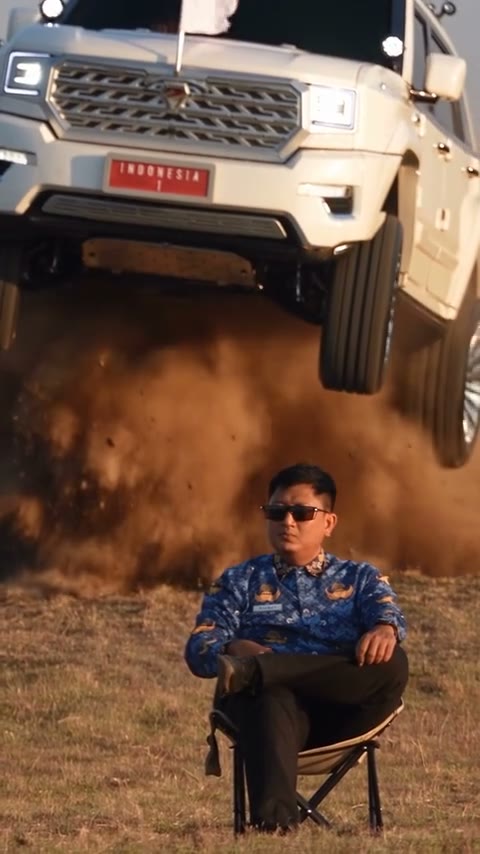
Original vertical source clip of a person seated in a folding chair while a vehicle jumps behind them

A person and a vehicle make the effect

Car jump AI pairs two different subjects: a seated character from Photo 1 and a vehicle from Photo 2. The reference supplies the stunt and timing. Explore a calm figure beneath a dramatic ride, an original hero with a signature car, or another contrast without filming a person near a moving vehicle.

Community effect of a seated person and a jumping vehicle, not a result generated on this site

Create your car jump AI pairing

Pick the seated character, then pick the ride.

  1. STEP 1

    Watch the stunt

    Preview the full source to see the timing, vehicle angle, and seated pose. Confirm that this is the effect you want to recreate.

  2. STEP 2

    Upload the two subjects

    Add the character to Photo 1 and the vehicle to Photo 2. Check the image previews, choose your output resolution, and read the estimate.

  3. STEP 3

    Generate the scene

    Sign in and submit when ready. Review the character, wheels, body shape, and jump in My creations before downloading your version.

Make the pairing impossible to miss

One character choice and one vehicle choice can give the same stunt a different personality.

Keep the calm reaction and the dramatic jump

The contrast between a calm seated person and the airborne vehicle gives car jump AI its effect. Your pictures guide appearance rather than depicting the jump. Watch the source to check the character pose and vehicle angle first. The output is a generated scene, not evidence that a real stunt occurred.

Original source clip · about 12 seconds

Photo 1 is the seated character

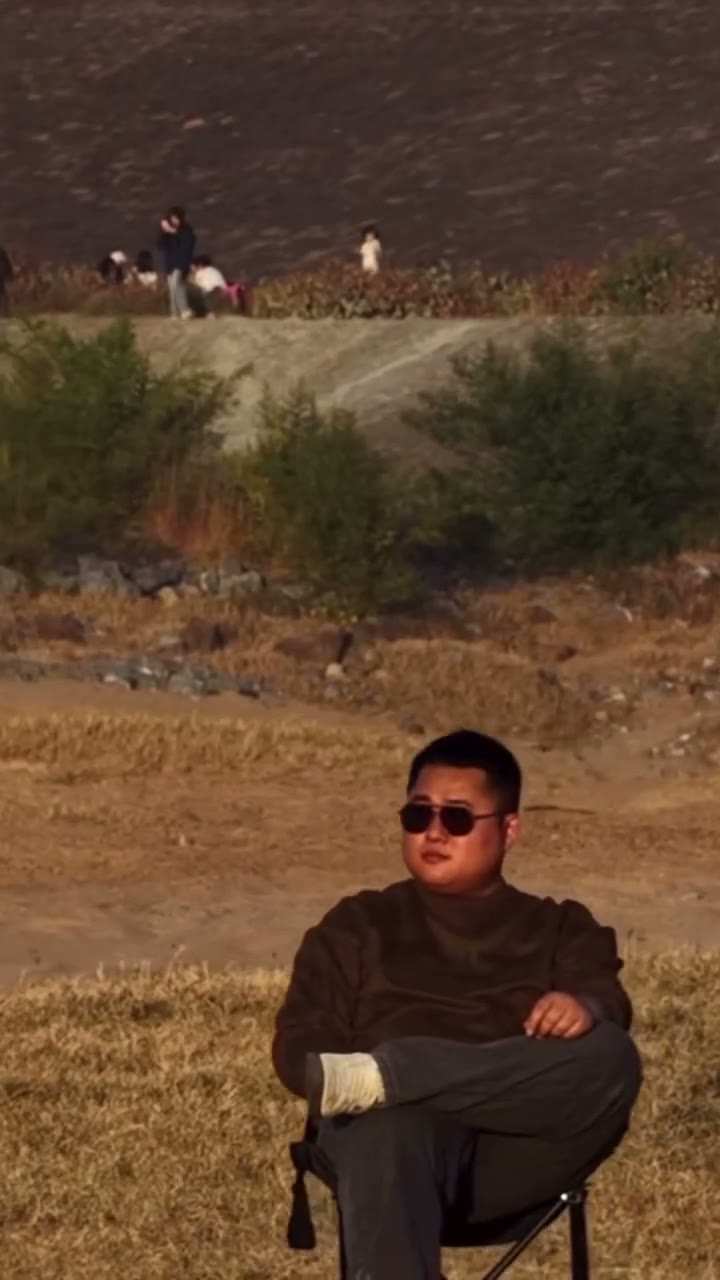
Photo 1 chooses the car jump AI character. Show a readable face and enough clothing to explain the look. The preset follows the seated source pose and includes its sunglasses styling. Your reference does not need to reproduce that pose, but important accessories and facial details should be checked afterward.

Community example photo of a seated person for the car jump AI person slot
Person · Photo 1 · community input example, not a site result

Photo 2 is the vehicle

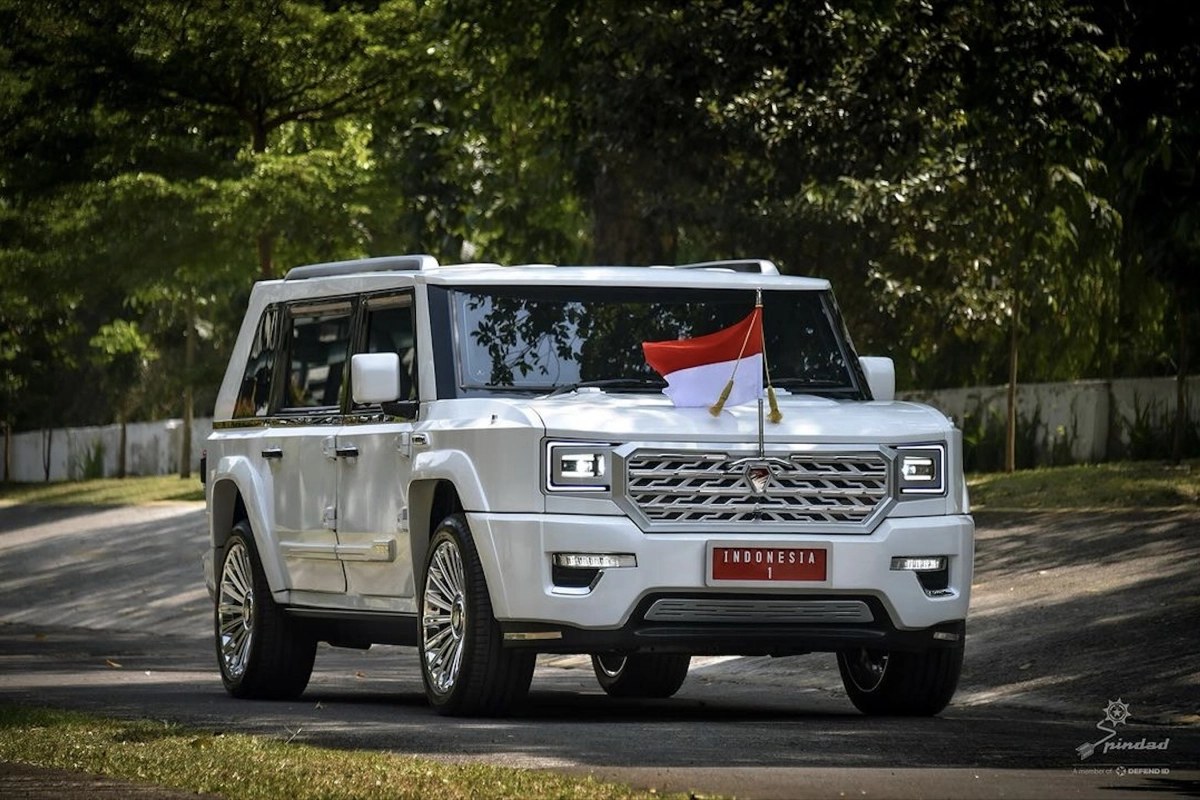
Photo 2 supplies the car jump AI vehicle. Choose a clear view of its shape, color, and wheels, with the car large and unobscured. The model interprets it through movement, so badges, plate text, proportions, and trim may differ. The example explains the slot; your photo supplies the replacement ride.

Community example photo of a white SUV from the front-side angle, with the corner mark left in place
Vehicle · Photo 2 · community input example, corner mark kept

Car jump AI for a visual twist

This preset suits a short effect built around an exaggerated moment.

An original character and signature ride

Pair a character you own with a vehicle that fits their fictional world. Car jump AI can turn those references into a moving concept. Review the outfit and vehicle shape together before treating the result as a final character presentation.

A playful personal remix

Put yourself or a consenting adult in the chair and choose a contrasting ride. The humor can come from the unexpected combination. Keep the AI-created nature clear if viewers might otherwise believe someone actually attempted the stunt.

A vehicle styling idea

Compare how different colors or body styles read in the same action. A recognizable silhouette will usually communicate more than a tiny badge. This visual experiment is not a precise vehicle specification, driving simulation, or proof of real performance.

Car jump AI inputs and settings

The two slots control different subjects while the source controls the action.

One person, one vehicle

Both references are required. Replacing Photo 2 changes the requested vehicle appearance; it does not add another person to the scene. Check the labels before uploading.

Prepared stunt instructions

Seedance 2.5 Edit and the template prompt are configured for the person-and-car edit. Keep the role assignments intact if you choose optional custom wording.

A short vertical clip

Car jump AI follows the approximately 12-second reference in a 9:16 frame. There is no duration selector for the preset. Trim the completed download if you need a shorter excerpt.

Selectable resolution

Use 480p, 720p, or 1080p. The estimate updates with the selection. More pixels do not guarantee accurate emblems, unchanged faces, or physically realistic movement.

Reference sound

The workflow is arranged to attach the source soundtrack to the finished visual edit. Preview the result with sound enabled and check the audio rights for your intended use.

Car Jump AI credits

The estimate beside Generate reflects your current car jump AI request. Preparing a draft does not spend generation credits; a submitted variation is a new request.

Starter

For your first ideas.

$8.3/month

$100.0 charged yearly

2,400 credits/year

Up to 400 images

GPT Image 2Nano Banana Pro

Up to 240 videos

Seedance 2.5Kling 3.0 Motion Control
  • Up to 4K images and HD videos, depending on the model
  • Image editing, video creation & motion transfer
  • Watermark-free image & video downloads
  • Generation history in your account
Popular40% OFFSave $238.8

Pro

For a steady creative flow.

$30.0/month$49.9/month

$360.0 charged yearly

21,600 credits/year

Up to 3,600 images

GPT Image 2Nano Banana Pro

Up to 2,160 videos

Seedance 2.5Kling 3.0 Motion Control
  • Up to 4K images and HD videos, depending on the model
  • Image editing, video creation & motion transfer
  • Watermark-free image & video downloads
  • Generation history in your account
  • Use credits across image and video models
Best Value50% OFFSave $599.8

Business

For more creations, more often.

$49.9/month$99.9/month

$599.0 charged yearly

48,000 credits/year

Up to 8,000 images

GPT Image 2Nano Banana Pro

Up to 4,800 videos

Seedance 2.5Kling 3.0 Motion Control
  • Up to 4K images and HD videos, depending on the model
  • Image editing, video creation & motion transfer
  • Watermark-free image & video downloads
  • Generation history in your account
  • Use credits across image and video models

Basic

$0

Try before you subscribe

  • 18 one-time signup credits
  • Generation history included
  • Watermarked previews & downloads
  • Up to 3 images or 1 video
  • Watermark-free downloads require payment

Prices in USD; taxes and total shown at checkout. Subscriptions renew automatically; cancel in Billing settings. Subscription credits expire each period; one-time credits never expire. Refund requests: within 72 hours. Eligible refunds deduct used purchased credits and, where permitted, actual non-returned processing fees. Processing fees are capped at 6% of the original purchase amount, excluding separately charged taxes. Terms · Refund Policy.

Car Jump AI FAQ

Character photos, vehicle references, and your car jump AI result.

What does car jump AI change?

Car jump AI requests a new seated character from Photo 1 and a new vehicle appearance from Photo 2. The source supplies the stunt and camera. Those are the intended edits; generated backgrounds, hands, and small details can still vary.

Can I upload two people to car jump AI?

Car jump AI needs a person and a vehicle. The second slot is not another cast member. Choose a two-person preset such as Hotel Lobby AI when you want a duet, or use the main workspace for a different reference scene.

What vehicle photo should I use?

For car jump AI, choose a sharp picture where the car’s shape, color, and wheels are easy to see. Avoid tiny vehicles, heavy obstruction, or text covering the body. Car jump AI interprets the appearance across movement, so it cannot promise an exact model or badge reproduction.

Will car jump AI keep my clothes?

The first car jump AI photo guides the requested outfit and overall character style. The preset retains the source pose and includes sunglasses in its styling instructions. Watch the finished clip for changes to the face, hands, accessories, and fabric details.

Can car jump AI extend the stunt?

Car jump AI follows the loaded source, approximately 12 seconds long. The dedicated page has no separate duration picker. Resolution changes the output size and cost, not the length or choreography of the jump.

Does car jump AI generate real driving footage?

Car jump AI produces an edited stunt scene. It should not be used as proof that a person drove a vehicle or that a car can perform the action shown. The template creates a visual effect from references.

What is the car jump AI price?

The car jump AI estimate beside Generate is the relevant credit cost for your selected settings. An account and sufficient credits are required to submit. Browsing and preparing the two pictures do not start a paid generation.

Where do I get my car jump AI video?

Open My creations after your car jump AI submission to view the result and use its available download control. Inspect the complete clip, including the vehicle’s airborne frames. If the result reports an audio-processing issue, use its offered audio retry before considering a new visual request.

Can I publish a car jump AI result?

For car jump AI, use photos and characters you may transform, with consent for any person depicted. Confirm rights to the performance footage and soundtrack as well. Template access does not grant a blanket publication license, and your destination may require an AI label.

Make your car jump AI scene

Choose a character and a ride with a memorable contrast.

Original source clip used as the car jump AI motion reference, separate from the community effect