Create a video

ModelSeedance 2.5 Edit

Configured for this template

Hotel Lobby performance · 23.0s

Left person
Right person

Hotel Lobby AI Duet Maker

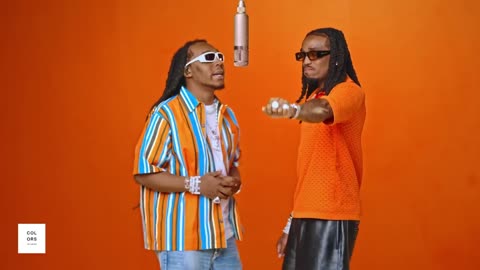
Your pair. The orange stage. Recreate the Hotel Lobby AI duet with two photos, a prepared performance, and its reference soundtrack.

Two characters performing beneath a hanging microphone in the orange Hotel Lobby studio

One stage, several casts

Community remixes show how different pairings reinterpret the duet. These examples are external references, not verified results from AI Genjutsu.

Cat meets dog
A golden duo
A black-tie remix
Two cats, one mic
Friends on stage
A feline co-star

Hotel Lobby AI puts your pair on stage

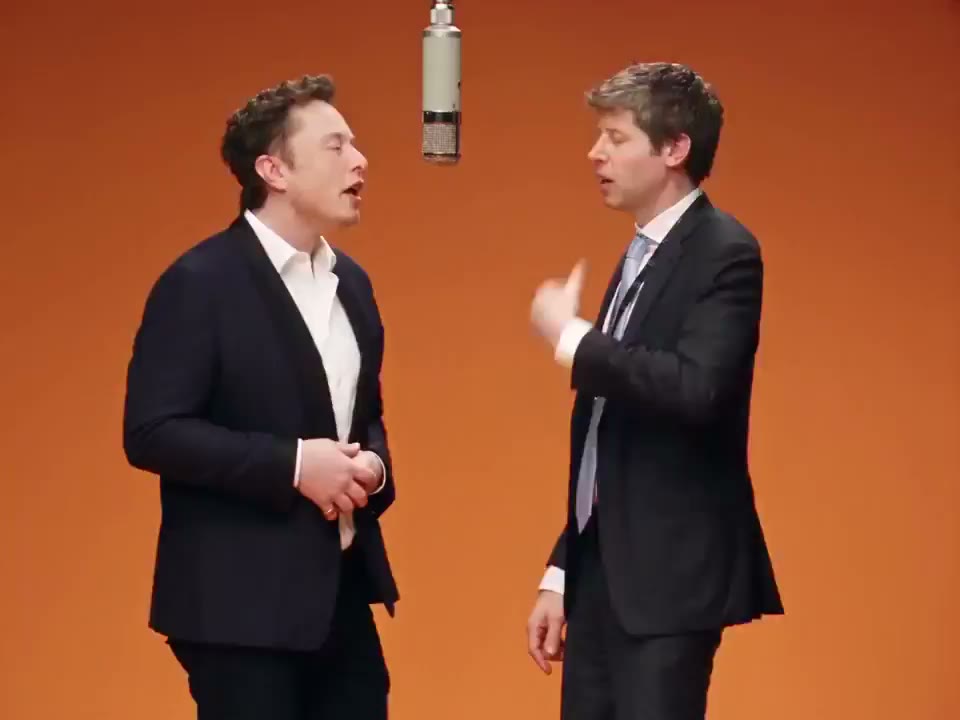
Hotel Lobby AI places a new pair in the orange studio, beneath the hanging microphone. Two photos choose the cast; the loaded reference supplies gestures, timing, and camera movement. Use the preview to see how both people share the scene before choosing who belongs on each side.

AI-generated Hotel Lobby duet example shared by Nate Herk, with two suited characters in an orange studio

Create a Hotel Lobby AI duet

Watch the Hotel Lobby AI performance, then assign a photo to each role.

  1. STEP 1

    Preview both roles

    Play the reference and notice which performer stands on each side. Confirm that the orange stage and existing routine fit your idea.

  2. STEP 2

    Add your pair

    Place one character in Left person and the other in Right person. Inspect both thumbnails, then choose the output resolution and review the current credit estimate.

  3. STEP 3

    Generate your version

    Sign in when requested and submit once the two photos are ready. My creations is where you follow the request, play the result, and download the version you want to keep.

Hotel Lobby AI cast ideas

Explore what changing the cast brings to the same orange-stage performance.

Make the pairing the punchline

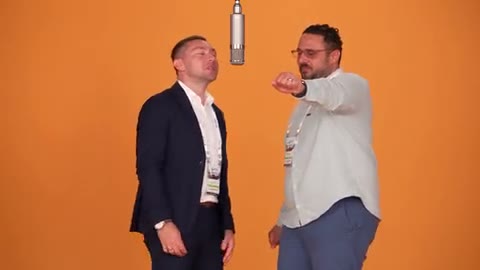
Give Hotel Lobby AI a pairing people recognize: friends, creative partners, or original characters with contrasting personalities. Coordinated streetwear can make them feel like a group; a bright jacket beside a dark suit separates their styles. The duet stays attached to its prepared performance, so the cast provides the new idea.
Make the pairing the punchline

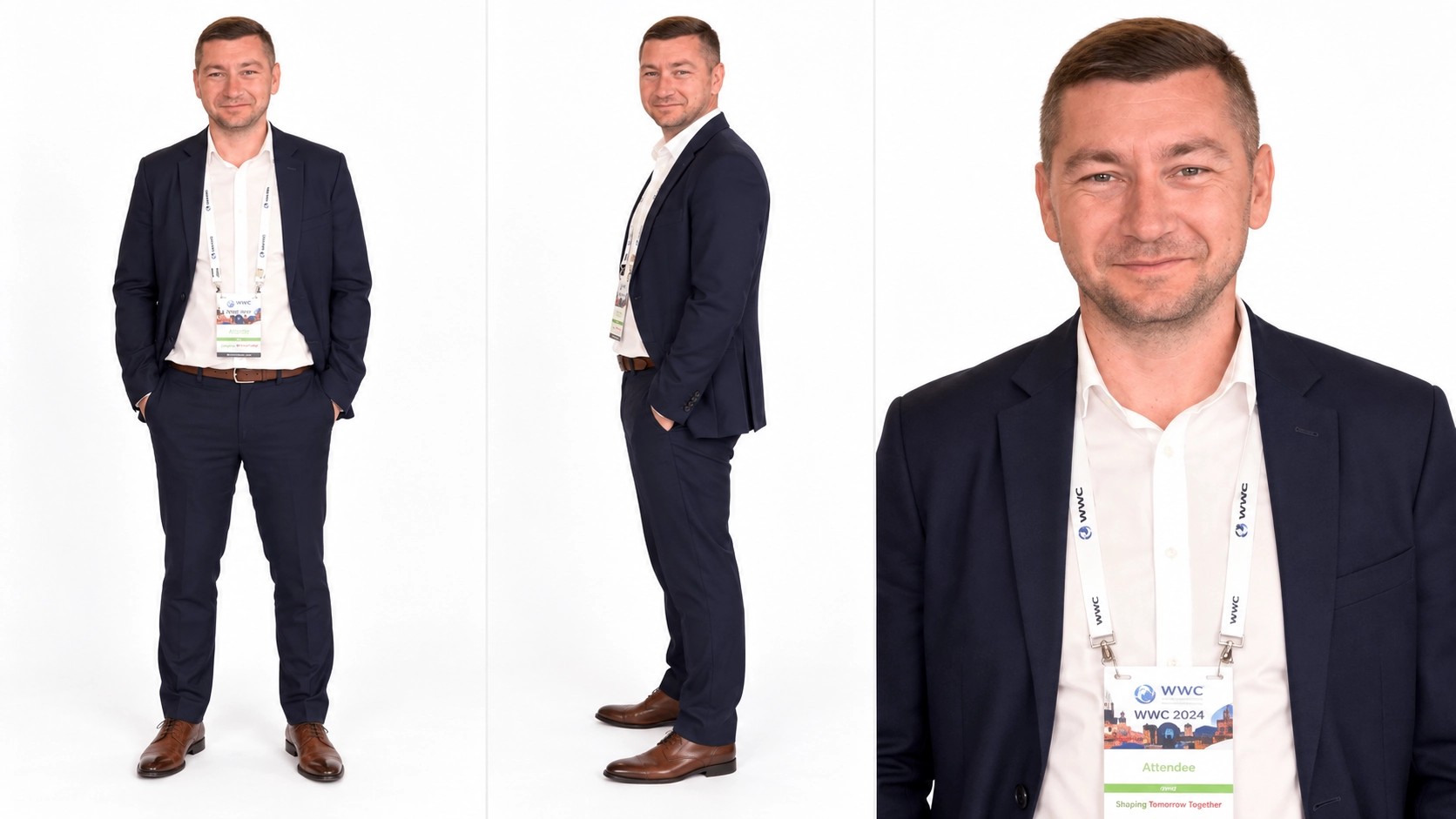
Give the left role a distinct look

Photo 1 takes the left-side role in Hotel Lobby AI. Choose a clear face and an outfit you want to see in the performance. The example illustrates the character reference, while your upload supplies the new appearance. Replace this picture to compare a different partner while keeping the right performer selected.

Left character reference showing a navy suit, full-body view, and face detail

Complete the right side of the scene

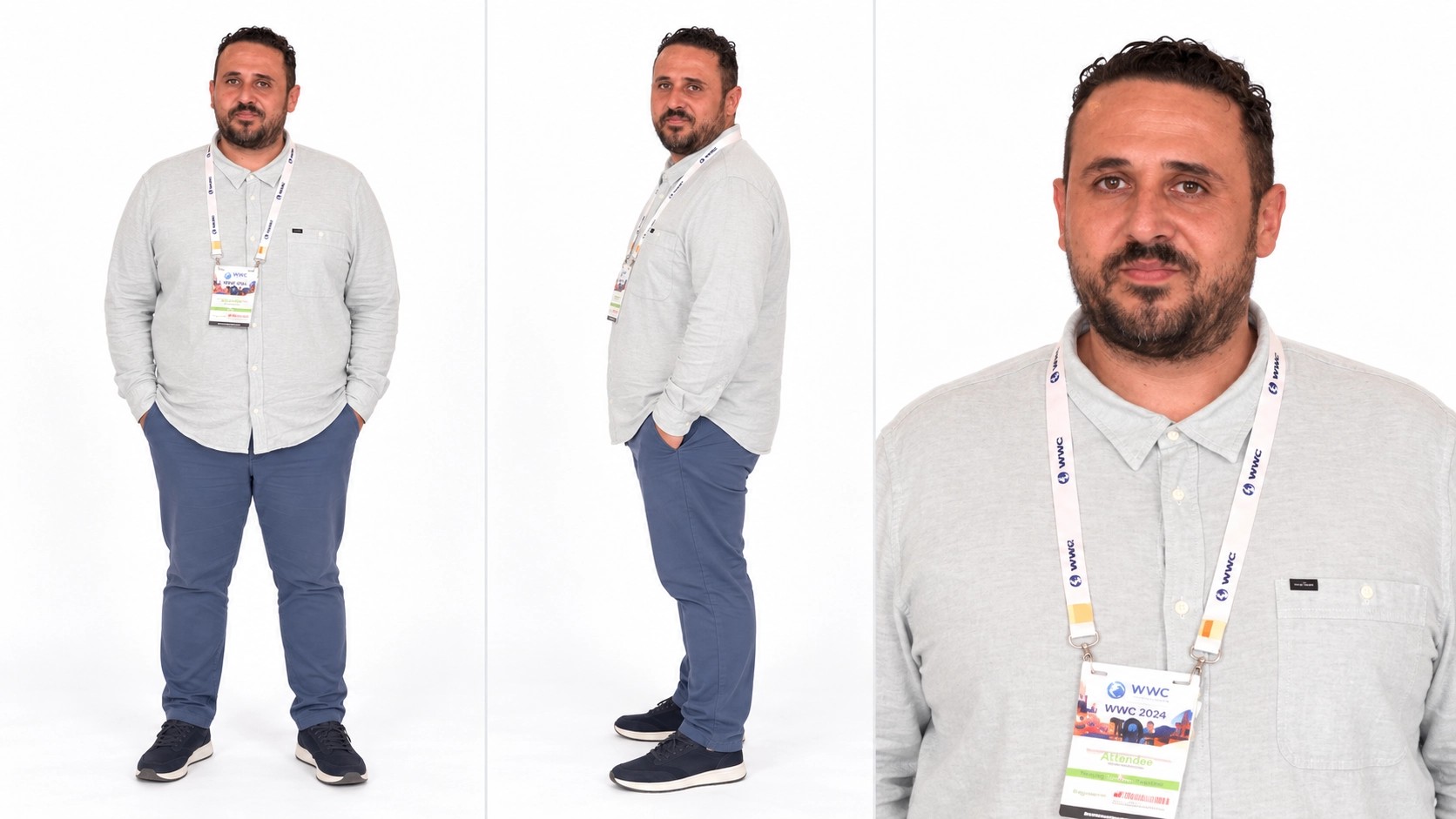
Photo 2 supplies the right performer. Choose an individual image even if you already have a photograph of both people together. Hotel Lobby AI supplies the stage, so their photo backgrounds can differ. Review the two outfits and faces together before submitting; generated details still need checking in motion.

Right character reference showing a light gray shirt and several views

Choose the Hotel Lobby AI pairing

Choose Hotel Lobby AI when you want this recognizable duet with people or characters of your choosing.

A celebration with two leads

Make a birthday or friendship clip with two consenting people who belong in the same frame. Their expressions and outfits supply the personal detail; the prepared performance gives the greeting a shared activity rather than two disconnected portraits.

A coordinated character reveal

Pair original characters with complementary colors or contrasting silhouettes. Hotel Lobby AI can help you explore a relationship in motion before using the characters elsewhere. Inspect their designs throughout the clip; generated hands and accessories can vary.

A repeatable creative comparison

Keep one performer selected and change the other picture to compare a new pairing. Each submitted version is its own generation. Decide what the second character should add before running another attempt, such as a stronger outfit contrast or a clearer face.

What you can choose in Hotel Lobby AI

The pictures set the cast; the reference sets the performance.

Separate performer slots

The left and right uploads have different assignments. Both are required, and replacing a picture does not change which side its slot controls.

A prepared edit

Seedance 2.5 Edit and the performance instructions are configured for this template. Keep the prepared prompt to begin; optional custom wording should preserve the two role assignments.

Source-led framing

The result follows the loaded clip’s length and landscape composition. There is no duration picker for this preset. Check whether its framing suits your intended post before generating.

Output resolution

Settings offers 480p, 720p, and 1080p. The choice changes the estimate and output dimensions. A larger file cannot guarantee accurate faces or repair details missing from an upload.

Reference audio

Hotel Lobby AI is set up to add the reference soundtrack to the completed picture. Playback can start muted. Listen to the final version before choosing a download or sharing it where permitted.

Hotel Lobby AI credits

The estimate beside Generate reflects your current hotel lobby ai request. Preparing a draft does not spend generation credits; a submitted variation is a new request.

Starter

For your first ideas.

$8.3/month

$100.0 charged yearly

2,400 credits/year

Up to 400 images

GPT Image 2Nano Banana Pro

Up to 240 videos

Seedance 2.5Kling 3.0 Motion Control
  • Up to 4K images and HD videos, depending on the model
  • Image editing, video creation & motion transfer
  • Watermark-free image & video downloads
  • Generation history in your account
Popular40% OFFSave $238.8

Pro

For a steady creative flow.

$30.0/month$49.9/month

$360.0 charged yearly

21,600 credits/year

Up to 3,600 images

GPT Image 2Nano Banana Pro

Up to 2,160 videos

Seedance 2.5Kling 3.0 Motion Control
  • Up to 4K images and HD videos, depending on the model
  • Image editing, video creation & motion transfer
  • Watermark-free image & video downloads
  • Generation history in your account
  • Use credits across image and video models
Best Value50% OFFSave $599.8

Business

For more creations, more often.

$49.9/month$99.9/month

$599.0 charged yearly

48,000 credits/year

Up to 8,000 images

GPT Image 2Nano Banana Pro

Up to 4,800 videos

Seedance 2.5Kling 3.0 Motion Control
  • Up to 4K images and HD videos, depending on the model
  • Image editing, video creation & motion transfer
  • Watermark-free image & video downloads
  • Generation history in your account
  • Use credits across image and video models

Basic

$0

Try before you subscribe

  • 18 one-time signup credits
  • Generation history included
  • Watermarked previews & downloads
  • Up to 3 images or 1 video
  • Watermark-free downloads require payment

Prices in USD; taxes and total shown at checkout. Subscriptions renew automatically; cancel in Billing settings. Subscription credits expire each period; one-time credits never expire. Refund requests: within 72 hours. Eligible refunds deduct used purchased credits and, where permitted, actual non-returned processing fees. Processing fees are capped at 6% of the original purchase amount, excluding separately charged taxes. Terms · Refund Policy.

Hotel Lobby AI FAQ

Photo roles, sound, credits, and your Hotel Lobby AI result.

Is Hotel Lobby AI a hotel scene generator?

Hotel Lobby AI recreates the duet associated with the Hotel Lobby performance. Its orange studio and hanging microphone are part of the loaded video. For a hotel interior or a completely different setting, use the main Genjutsu AI workspace with your own reference.

Can Hotel Lobby AI use a photo of two people?

Hotel Lobby AI uses separate images for the two labeled slots. A photo containing both people can leave the intended identity ambiguous. Crop or choose individual pictures before uploading, with a face and enough clothing visible for each performer.

Does Hotel Lobby AI create a new rap?

Hotel Lobby AI edits the appearance of the performers in the prepared video. The reference supplies the performance and soundtrack. This workflow does not write lyrics, clone your voice, or record a new vocal performance from your pictures.

Can I keep one person and replace the other?

In Hotel Lobby AI, replace either upload while retaining the other selected photo. Both slots still need an image before submission. Changing a selected file only edits the draft; it does not alter a video that has already finished.

Does Hotel Lobby AI preserve clothing exactly?

Hotel Lobby AI reference pictures guide the new appearance, including clothing. Fine patterns, jewelry, fingers, and details near overlapping arms may change as the scene moves. Review those moments in the full result rather than judging it from the opening frame alone.

How do I see the Hotel Lobby AI price?

Check the Hotel Lobby AI credit estimate beside Generate after choosing a resolution. You need an account and enough credits to submit. Browsing examples and preparing the photos do not initiate generation, and another submitted pairing has its own cost.

Can I use the Hotel Lobby AI music in a post?

Hotel Lobby AI retains reference audio, but template access does not provide a music or footage license. Use media you are entitled to transform and share. Check the rights for your intended destination, including any AI disclosure requirements.

Where is the finished Hotel Lobby AI duet?

Open My creations to inspect your Hotel Lobby AI result, then use the available download control. Watch both performers across the sequence and listen with playback sound enabled. If the result reports an audio-processing issue, use its offered audio retry rather than paying for another visual generation.

Cast your Hotel Lobby AI duet

Add the two people you want to see on the orange stage.

Example of a two-character Hotel Lobby AI duet in an orange studio