Create a video

Required photos1
Settings
Mode
Video length15s
Resolution

Like Jennie AI Dance Video

Step into a studio performance with a dance crew. Add one photo to cast the lead in Like Jennie AI; the prepared footage supplies the choreography, cuts and group setting. Includes reference sound.

What is Like Jennie AI?

Like Jennie AI places the person in your photo into a prepared dance performance. The lead appears in an opening close-up before joining a crew for a sequence of formations, floor movement and changing camera angles. The reference supplies the studio and choreography. Your uploaded image guides the lead’s appearance; the surrounding dancers remain part of the reference. The finished video is generated from these inputs and can vary between attempts.

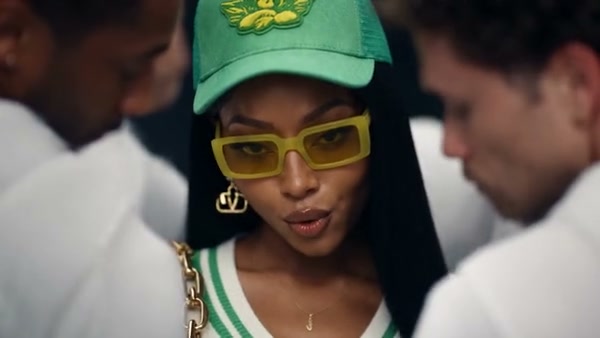
Like Jennie AI community example

How to make a Like Jennie AI video

Start with the labeled photo roles and preview the chosen reference.

  1. STEP 1

    Prepare the cast

    Choose a clear image of the person who should lead the crew. Check the labeled slot before you continue.

  2. STEP 2

    Pick a mode

    The reference moves from close framing into a wider group routine and finishes with an overhead view. Compare the reference preview, output settings and credit estimate before submitting.

  3. STEP 3

    Generate and review

    Sign in and generate when you are ready. Open Like Jennie AI in My creations and check the finished video before downloading.

Plan your Like Jennie AI video

See how the photo roles, reference footage and result fit together.

Choose the cast for Like Jennie AI

Choose a clear image of the person who should lead the crew. A face that is easy to see, recognizable hair and visible clothing give Like Jennie AI useful appearance details. The photo defines the lead, so you do not need separate pictures for the other dancers. Avoid a crowded image where it is unclear which person should be used. Keep the original file available if you want to compare a second attempt.

Choose the cast for Like Jennie AI

Preview the Like Jennie AI performance

The reference moves from close framing into a wider group routine and finishes with an overhead view. Preview the entire sequence before choosing it, especially if the ending matters to your idea. Original follows the full reference; Economy and Standard use the opening 14.9 seconds. Those shorter modes cover almost all of this roughly 15-second source, although the last moments can differ. The studio, timing and camera cuts come from the supplied clip.

Like Jennie AI community reference frame

Review your Like Jennie AI result

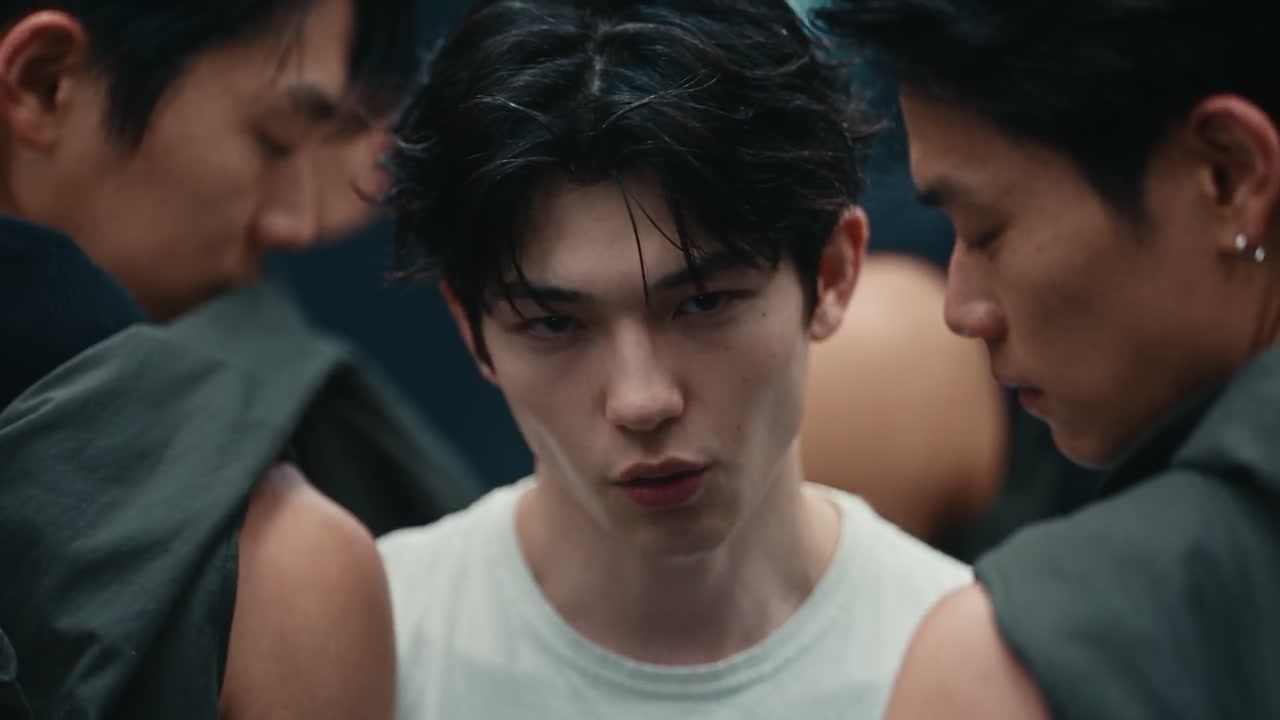
Play Like Jennie AI from start to finish, paying attention to the transition from the opening close-up to the group shots. Check whether the lead remains identifiable as other dancers cross the frame, and inspect hands and clothing during the floor sequence. Generated details can drift during quick movements or occlusion. If a result misses the look you want, try a clearer photo and compare the new output in My creations.

Like Jennie AI community reference frame

Getting more from Like Jennie AI

A clear input and the right reference selection make the scene easier to plan.

Match each role

The person in Photo 1 is assigned to the foreground lead. The other performers stay associated with the reference footage; they do not each receive a separate uploaded identity.

Check the selected clip

The reference moves from close framing into a wider group routine and finishes with an overhead view. Preview the chosen mode for its actual ending.

Inspect the result

Check whether the lead remains identifiable as other dancers cross the frame, and inspect hands and clothing during the floor sequence. Save the version that works for your project.

Like Jennie AI FAQ

Answers about the reference, photo roles and finished result.

What photos does Like Jennie AI need?

Choose a clear image of the person who should lead the crew. A face that is easy to see, recognizable hair and visible clothing give Like Jennie AI useful appearance details. A well-lit image with the subject facing the camera gives you a useful starting point; review the result as the perspective changes.

What sound does Like Jennie AI use?

The delivery process attempts to restore reference audio. If restoration fails, the result can be silent. Check the audio and relevant sharing rights before publishing.

Do I need to upload motion footage for Like Jennie AI?

The preset already supplies the reference video. Add the required photos and preview the selected mode in the workspace.

Can I change the setting in Like Jennie AI?

The prepared reference supplies this scene, camera and action. For a different performance, choose another template or use a workspace that accepts your own reference.

Who changes in Like Jennie AI?

The person in Photo 1 is assigned to the foreground lead. The other performers stay associated with the reference footage; they do not each receive a separate uploaded identity. The full preview also lets you check whether the group choreography and framing suit the video you plan to share.

Does Like Jennie AI include the ending?

Original uses the complete reference, including its overhead ending. Economy and Standard use the opening 14.9 seconds, so check the selected preview if the final moment matters.

What makes a good lead photo for Like Jennie AI?

Pick a well-lit photo with a visible face, hair and clothing. A distinct subject is easier to identify than a person partly hidden in a crowd; output can still vary.

How should I frame a Like Jennie AI photo?

Choose a sharp image with one clearly identifiable lead, including the face, hairstyle and clothes you want the model to follow. Check that those details remain visible at a small size. Strong blur, a covered face or multiple similar-looking people can make the intended subject harder to identify.

Can I choose the other dancers in Like Jennie AI?

The template assigns your uploaded image to one lead role. The surrounding crew and their formation come from the prepared footage, so there are no additional photo slots for casting them. Preview a different template if you need a different group setup.

How much does Like Jennie AI cost?

The workspace shows a current credit estimate for the selected mode and settings. You need to sign in and have sufficient credits before generating.

Will Like Jennie AI always match my photo?

Results vary with the photo, movement and changing camera angles. Review the full output and try a clearer source image if important details are difficult to recognize.

Try Like Jennie AI

Add the requested photos, review the reference and check your credit estimate.

Like Jennie AI community example