Create a video

Required photos3
Settings
Mode
Video length23s
Resolution

No Scrubs AI: Put Your Trio in the Performance

Give three people a place in a ready-made studio dance. Add a separate photo for the lead and each side dancer, then choose how much of the performance to follow.

What is No Scrubs AI on AI Genjutsu?

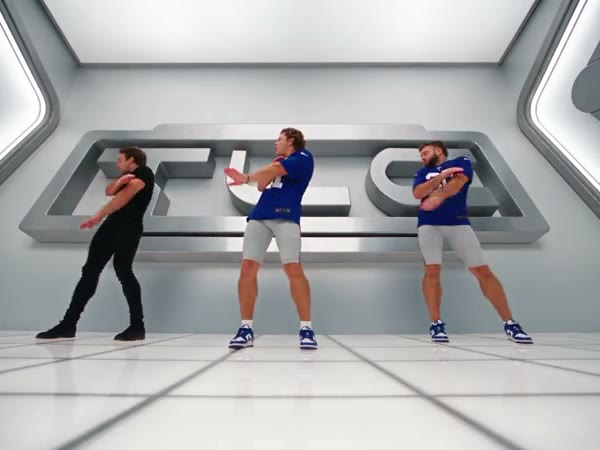
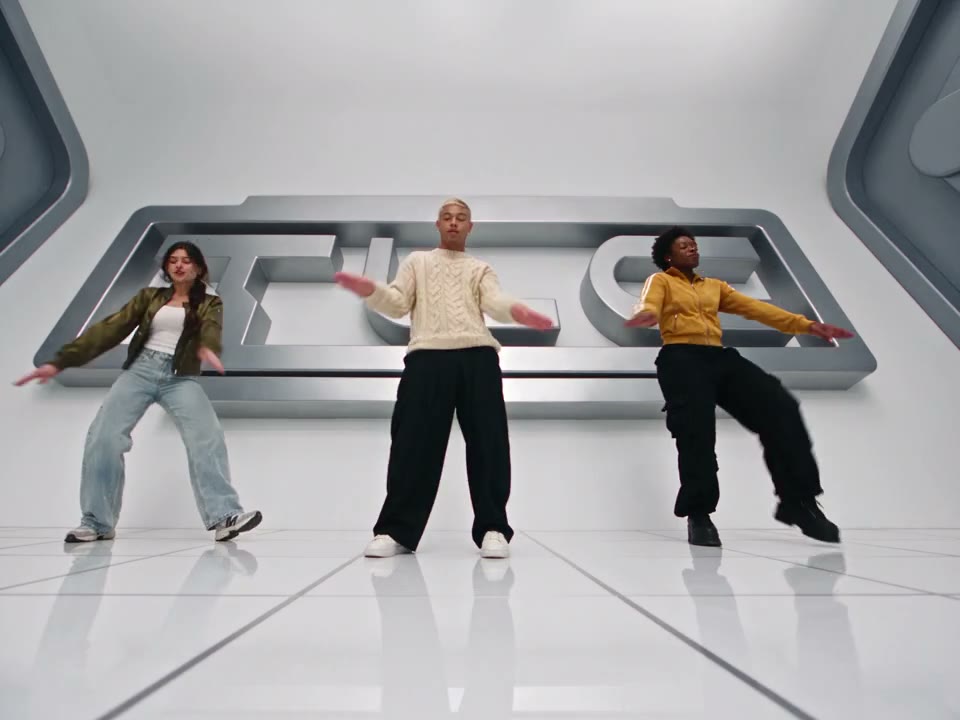
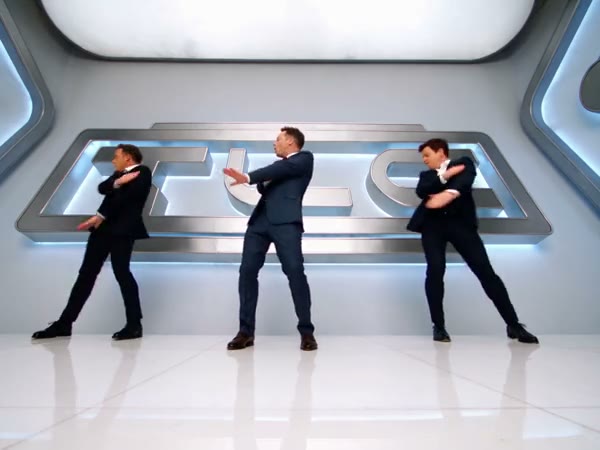
No Scrubs AI is a three-person video template that uses your photos to guide the performers in a prepared music-video sequence. The group dances in a bright studio while the camera alternates between wider views, individual close-ups and a metallic elevator scene. Choose who takes the center, left and right positions by placing one image in each labeled slot. The No Scrubs AI video generator follows the supplied reference for the choreography, camera and setting; it interprets the people and their outfits from your images. Your result is a new generation, so faces, movement and clothing can vary from frame to frame.

A community trio in a bright studio

How to make a No Scrubs AI character video

Prepare three images, compare the reference lengths and review your output.

  1. STEP 1

    Assign the lead

    Add one authorized person photo to the No Scrubs AI center lead slot. This image also guides the opening close-up.

  2. STEP 2

    Complete the formation

    Add a separate image for the viewer’s left dancer and another for the viewer’s right dancer. Confirm the order before continuing.

  3. STEP 3

    Select and create

    Compare the short and full previews, review the current estimate, sign in and generate. Open My creations to watch and download the result.

Plan a No Scrubs AI cast that reads clearly

The reference supplies the performance; each image contributes the appearance of one assigned person.

Give each performer a distinct identity

A recognizable No Scrubs AI cast begins with three separate pictures. Put the lead in Photo 1; this person takes the center and the opening close-up. Photo 2 guides the dancer on the viewer’s left, who also appears in later close-ups. Photo 3 guides the performer on the viewer’s right. A clear face and a view of the outfit and shoes give the model useful context for both close and full-body shots. If two photos look very similar, check the labels before submitting. The preset asks for continuity, but it cannot guarantee that details or identities remain perfect through overlapping movement and cuts.

Give each performer a distinct identity

Keep your No Scrubs AI cast together through changing shots

The reference gives No Scrubs AI its coordinated steps, arm movements and scene transitions. That means your trio can appear in a complete sequence without you recording the routine or arranging individual cuts. The central performer returns in the elevator setting, while the side dancers remain part of the group formation. The page has no separate controls for replacing the studio, choosing a different dance or writing lyrics. When you want another environment, explore a different prepared template or a workspace that accepts your own permitted motion clip. Watch the selected preview first to decide whether these particular shots suit your idea.

Keep your No Scrubs AI cast together through changing shots

Choose a No Scrubs AI cut and inspect the result

Economy and Standard use the opening 14.9 seconds of the No Scrubs AI reference; the setting is shown as 15 seconds. Original follows the complete reference, approximately 23 seconds, with later close-ups and the ending. Preview the chosen mode and check its displayed credit estimate before generating. After the job finishes, play the whole video from My creations. Follow each performer from the wide formation to the closer shots, looking at faces, hands and clothing. The delivery process attempts to restore sound from the selected reference; restoration can fail, so listen to the downloaded file before sharing.

Choose a No Scrubs AI cut and inspect the result

Three useful choices before you start

A little preparation makes the intended No Scrubs AI cast and ending easier to check.

One subject per image

Separate pictures make it clear which person should guide each position. Use media you have permission to provide.

A visible outfit

A wider photo can provide the model with clothing and body context for the group choreography.

A deliberate length

Use the short No Scrubs AI reference for the opening segment, or Original to include the later portion.

No Scrubs AI casting questions

Practical details for preparing the people and checking the finished performance.

How many pictures does No Scrubs AI require?

All three slots are required. Use a separate person photo for the center lead, the viewer’s left dancer and the viewer’s right dancer. The labels in the workspace show the order used by the preset.

Who appears in the No Scrubs AI close-ups?

The center photo guides the lead and opening close-up. The left-side role also appears in later individual shots, including a longer section in the full reference. The right-side role is part of the group formation.

Can No Scrubs AI use one person for all three roles?

The interface requires three photo inputs, one for each role. You can choose the same authorized person for more than one slot; the model may still interpret appearances differently between positions and shots.

Which photos are suitable for No Scrubs AI?

Choose sharp images with one clearly visible person in each. A full-body or wider view can show the clothes and shoes needed for the dance, while an unobstructed face helps with close-ups. Use only photos you are entitled to use.

What changes with No Scrubs AI Original?

Original follows the approximately 23-second complete reference. Economy and Standard follow its first 14.9 seconds, so later close-ups and the final part can be absent. The short setting is displayed as 15 seconds.

Do I need to upload a No Scrubs AI motion video?

No. The template already includes the performance reference. Add the three people photos and use the workspace preview to check the segment associated with your chosen mode.

Can No Scrubs AI change the studio or choreography?

This preset follows the supplied studio, camera sequence and dance. It does not offer a separate setting for editing the location or routine. Choose a different template if you need different prepared movement.

Will my No Scrubs AI video contain sound?

The delivery flow attempts to restore the audio from the chosen reference segment. If that step fails, the delivered video can be silent. Check the file and confirm you have the necessary rights before sharing audio.

Are the No Scrubs AI examples AI Genjutsu results?

The community examples were created elsewhere and illustrate variations of the scene. They are not proof of a result generated on this page. Your own faces, clothing and motion may differ.

What should I check before sharing a No Scrubs AI video?

Watch each cut, especially close-ups and moments when performers overlap. Look for changed faces, hands, shoes or clothing, then play the downloaded audio. Try clearer photos if an important person is hard to recognize.

How are No Scrubs AI credits calculated?

The current estimate appears in the workspace for the chosen mode and settings. Sign in and check that you have enough credits before submitting; the available balance and quote are shown by the product.

Cast your No Scrubs AI performers

Choose the three people, review their positions and select the version you want to create.

No Scrubs AI community example