Create a video

ModelSeedance 2.5 Edit

Configured for this template

Seaside duet reference · 28.1s

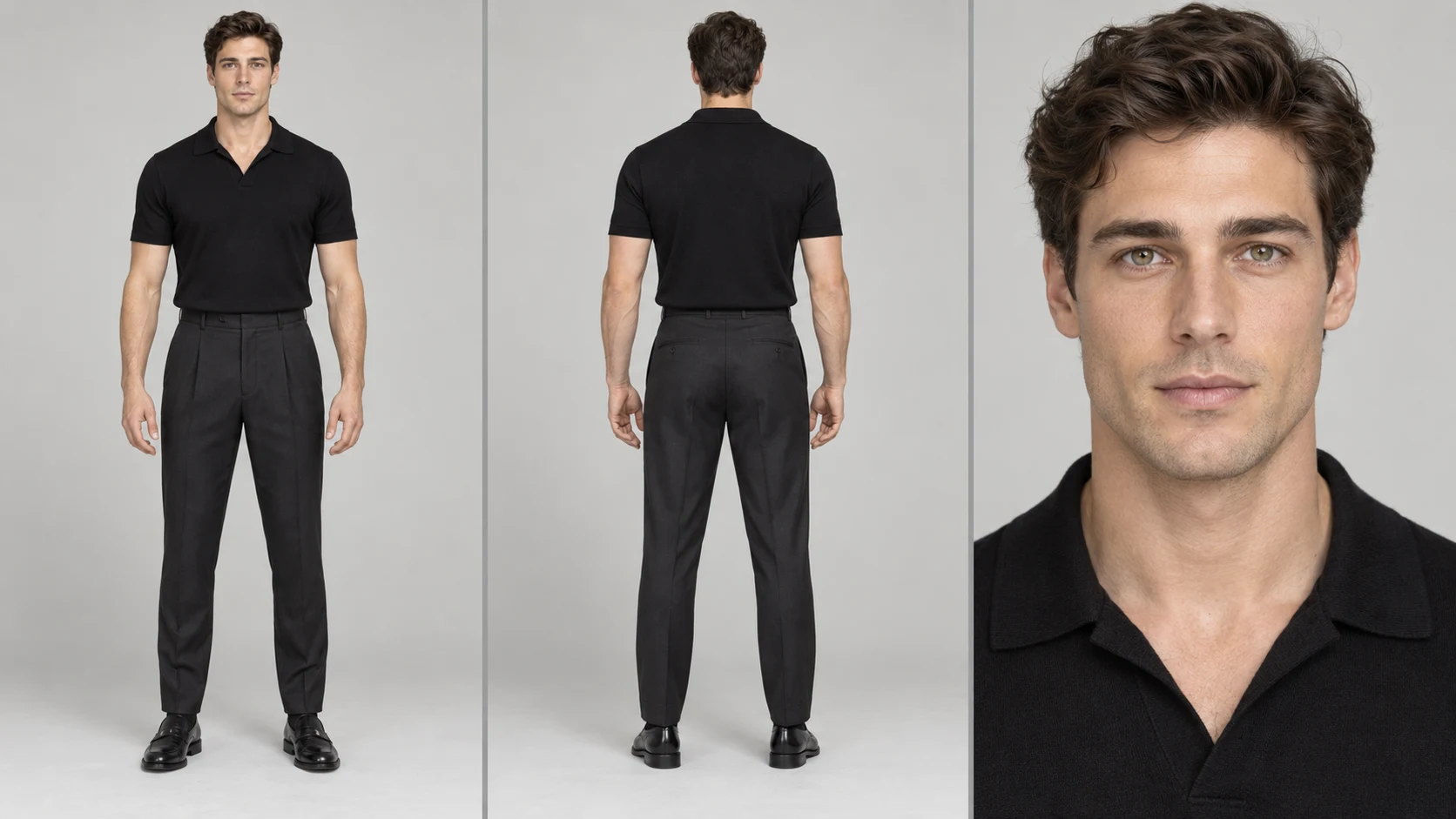
Dark-shirt role · Photo 1
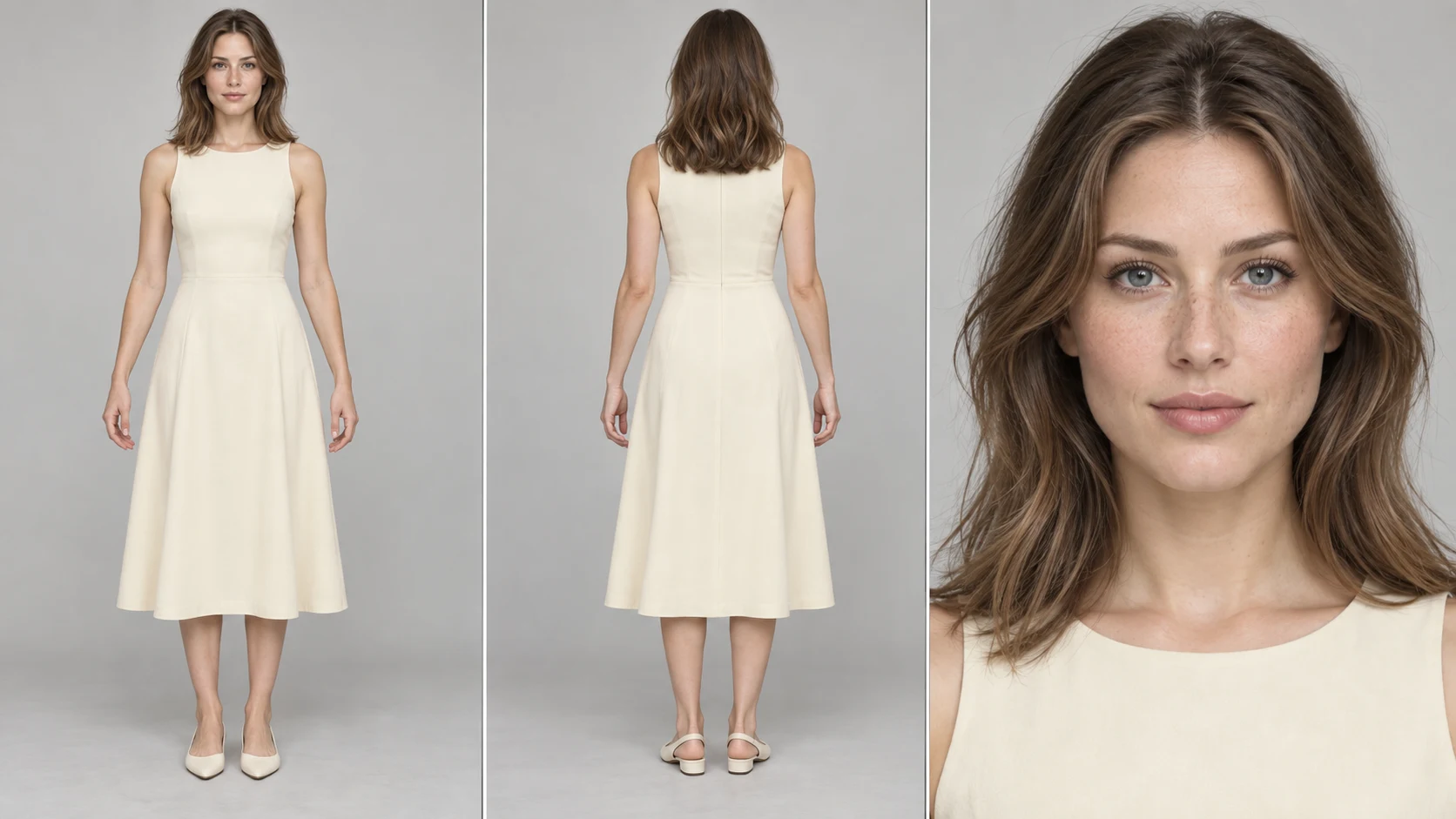
Mint-dress role · Photo 2

Raindance AI Couple Video Maker

Put your pair in the seaside sequence. Raindance AI brings two character photos into a prepared scene with its original timing and sound.

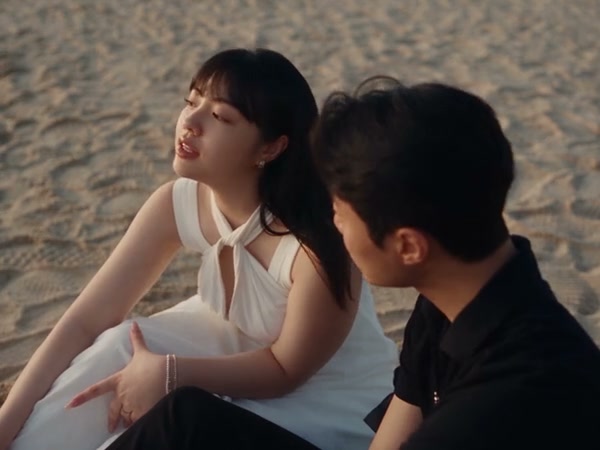
Two performers meeting on a wooden pier beside calm water in the Raindance AI motion reference

A two-character story across the seaside shots

Raindance AI recasts two performers across a prepared seaside sequence: entrance, close-ups, seated interaction, wider framing, and a beach ending. One picture guides each character. Choose this preset when the existing setting and relationship fit your idea, then decide which pair should carry that scene.

Community Raindance AI recast with two different performers beside the sea

Make your Raindance AI scene

Match your photos to the source characters, then let the prepared sequence guide the edit.

  1. STEP 1

    Watch the reference

    Notice the dark-shirt and mint-dress roles across the changing shots. Decide which of your two characters belongs in each role.

  2. STEP 2

    Upload both references

    Add one clear picture per slot and inspect the thumbnails. Select a resolution and check the credits shown for the loaded clip.

  3. STEP 3

    Create and inspect

    Sign in and generate when the setup is ready. Review the entire Raindance AI result in My creations, including both close-ups and the ending, before downloading.

Two new characters, one seaside sequence

Use the source shots to understand the roles before choosing your photos.

Keep the sequence while changing the cast

The flow between shots gives Raindance AI a small story already in place. Try a personal pairing, original characters, or coordinated outfits without filming each scene. The source controls camera and timing. Check recognition during turns and close-ups as well as wide shots, because a still cannot describe every angle.
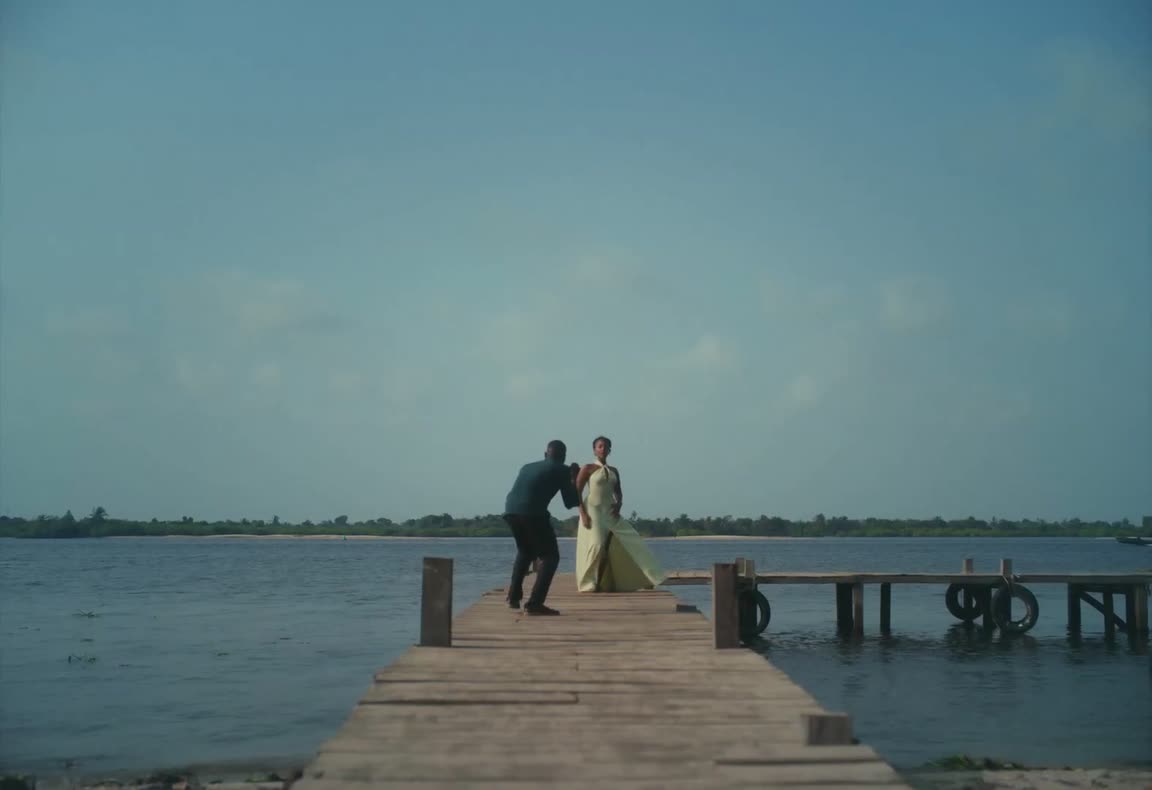
Muted motion reference · 28 seconds

Photo 1 follows the dark-shirt role

Photo 1 follows the dark green-shirt performer in Raindance AI, even when the camera changes their screen position. Choose a sharp reference showing the replacement face, hairstyle, and outfit. The source frame identifies the original role; your own picture supplies the new look rather than copying the original clothes.

Three-panel male character sheet with full-body front, full-body back, and face close-up for Raindance AI Photo 1
Photo 1 · dark-shirt source role · reference example

Photo 2 follows the mint-dress role

Photo 2 follows the mint-dress performer throughout Raindance AI. This is a character assignment, not a permanent right-side position. Keep the intended person in that slot when replacing a reference. Show the outfit and silhouette clearly, then inspect the details you care about as the sequence changes camera angles.

Three-panel female character sheet with full-body front, full-body back, and face close-up for Raindance AI Photo 2
Photo 2 · mint-dress source role · reference example

Raindance AI for a pairing with a story

The template is suited to a short scene built around two people and their interaction.

A shared occasion

Use two consenting people for an anniversary concept, a friendship clip, or a playful greeting. Raindance AI places them in the same prepared sequence even when their reference photos were taken separately. Review both portrayals before sending the result.

A wardrobe-driven mood

Coordinated neutrals and contrasting colors create different impressions in a seaside setting. The two images let you choose each look independently. Keep important clothing visible in the photos instead of expecting a face-only crop to explain the whole outfit.

An original-character scene

Explore how two fictional designs read through close-ups and wider views. Raindance AI can make a moving concept from still references, but changing angles may reveal differences in the generated designs. Look for consistency across the sequence before using a frame elsewhere.

Raindance AI settings and role assignments

The edit stays attached to the source performance while you choose the new appearance.

Two fixed character roles

Photo 1 maps to the dark-shirt performer and Photo 2 to the mint-dress performer. The assignments follow the characters, so do not swap photos just because a later camera angle places them differently on screen.

A prepared performance prompt

The preset uses Seedance 2.5 Edit with instructions for both roles. Custom prompt is optional. If you edit the wording, keep the two assignments explicit and avoid requesting a different story at the same time.

Approximately 28 seconds

Raindance AI follows the prepared 28.04-second reference and its frame. The dedicated page does not expose a new output-length choice. A shorter final post can be edited from your download.

480p through 1080p

Choose among the displayed resolutions and read the estimate again after a change. Larger dimensions affect output size and cost; they do not ensure better continuity through every close-up.

Reference soundtrack included in the workflow

The audio step is set up to reuse the source soundtrack with the finished visual edit. Play the completed result with sound enabled, and confirm publication rights for the music you plan to keep.

Raindance AI credits

The estimate beside Generate reflects your current raindance ai request. Preparing a draft does not spend generation credits; a submitted variation is a new request.

Starter

For your first ideas.

$8.3/month

$100.0 charged yearly

2,400 credits/year

Up to 400 images

GPT Image 2Nano Banana Pro

Up to 240 videos

Seedance 2.5Kling 3.0 Motion Control
  • Up to 4K images and HD videos, depending on the model
  • Image editing, video creation & motion transfer
  • Watermark-free image & video downloads
  • Generation history in your account
Popular40% OFFSave $238.8

Pro

For a steady creative flow.

$30.0/month$49.9/month

$360.0 charged yearly

21,600 credits/year

Up to 3,600 images

GPT Image 2Nano Banana Pro

Up to 2,160 videos

Seedance 2.5Kling 3.0 Motion Control
  • Up to 4K images and HD videos, depending on the model
  • Image editing, video creation & motion transfer
  • Watermark-free image & video downloads
  • Generation history in your account
  • Use credits across image and video models
Best Value50% OFFSave $599.8

Business

For more creations, more often.

$49.9/month$99.9/month

$599.0 charged yearly

48,000 credits/year

Up to 8,000 images

GPT Image 2Nano Banana Pro

Up to 4,800 videos

Seedance 2.5Kling 3.0 Motion Control
  • Up to 4K images and HD videos, depending on the model
  • Image editing, video creation & motion transfer
  • Watermark-free image & video downloads
  • Generation history in your account
  • Use credits across image and video models

Basic

$0

Try before you subscribe

  • 18 one-time signup credits
  • Generation history included
  • Watermarked previews & downloads
  • Up to 3 images or 1 video
  • Watermark-free downloads require payment

Prices in USD; taxes and total shown at checkout. Subscriptions renew automatically; cancel in Billing settings. Subscription credits expire each period; one-time credits never expire. Refund requests: within 72 hours. Eligible refunds deduct used purchased credits and, where permitted, actual non-returned processing fees. Processing fees are capped at 6% of the original purchase amount, excluding separately charged taxes. Terms · Refund Policy.

Raindance AI FAQ

Role mapping, scene continuity, and your Raindance AI result.

Does Raindance AI create a new dance from text?

Raindance AI edits the characters in the loaded seaside video. The source supplies its actions and shot sequence. If you want a completely new movement or setting, use another reference in the main workspace rather than expecting these two photo slots to invent it.

How many photos does Raindance AI require?

Raindance AI needs two separate photos, one per performer. A collage or couple photo can make identity assignment unclear. Choose a picture that clearly shows each intended person, then match it to the correct labeled role before submission.

Is Photo 1 always the person on the left?

No. Raindance AI assigns Photo 1 to the original dark-shirt character. Camera changes can move that character around the screen. Photo 2 stays assigned to the original mint-dress character throughout the same sequence.

Can Raindance AI use different outfits from the source?

In Raindance AI, your photos guide the requested identity, body, clothes, and overall visual style. The reference guides movement and staging. Show the new outfit clearly if it matters, and check fine details as the characters turn or appear in different shot sizes.

Does Raindance AI include the beach ending?

The Raindance AI reference includes the full sequence through the beach ending, and the output follows that source. There is no separate selector for individual scenes on this page. You can trim a completed download in an external editor.

Do I need to prepare a Raindance AI prompt?

Raindance AI role instructions are already provided. You can begin with the default setup and focus on the two photos. Optional custom wording should support the existing assignments; conflicting instructions can make the intended change harder to interpret.

How are Raindance AI credits calculated?

The Raindance AI estimate uses the loaded source and your output settings. Read it beside Generate after choosing a resolution. You need to sign in with enough credits to submit, and each new version is a separate request.

What should I check before sharing Raindance AI?

Play the whole Raindance AI clip, comparing both faces and outfits across the camera changes. Listen to the audio and check any close contact or overlapping limbs. Use authorized photos and confirm the rights to the source performance and soundtrack before publishing.

Cast your Raindance AI pair

Choose the two characters for the seaside sequence.

Muted seaside duet motion reference used by the Raindance AI page