Create a video

Fashion model · Photo 1

Arcade Fashion Walk AI Video Generator

A fashion portrait that steps into motion. Arcade Fashion Walk AI gives your chosen look a courtyard entrance, a full turn and a close-up finish. Cast the model with one photo; reference sound accompanies the result.

What is Arcade Fashion Walk AI?

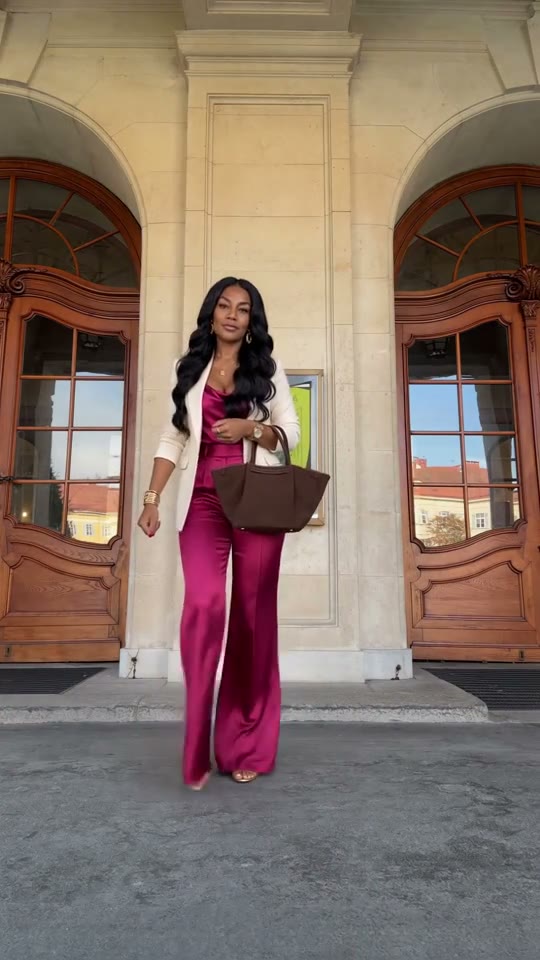
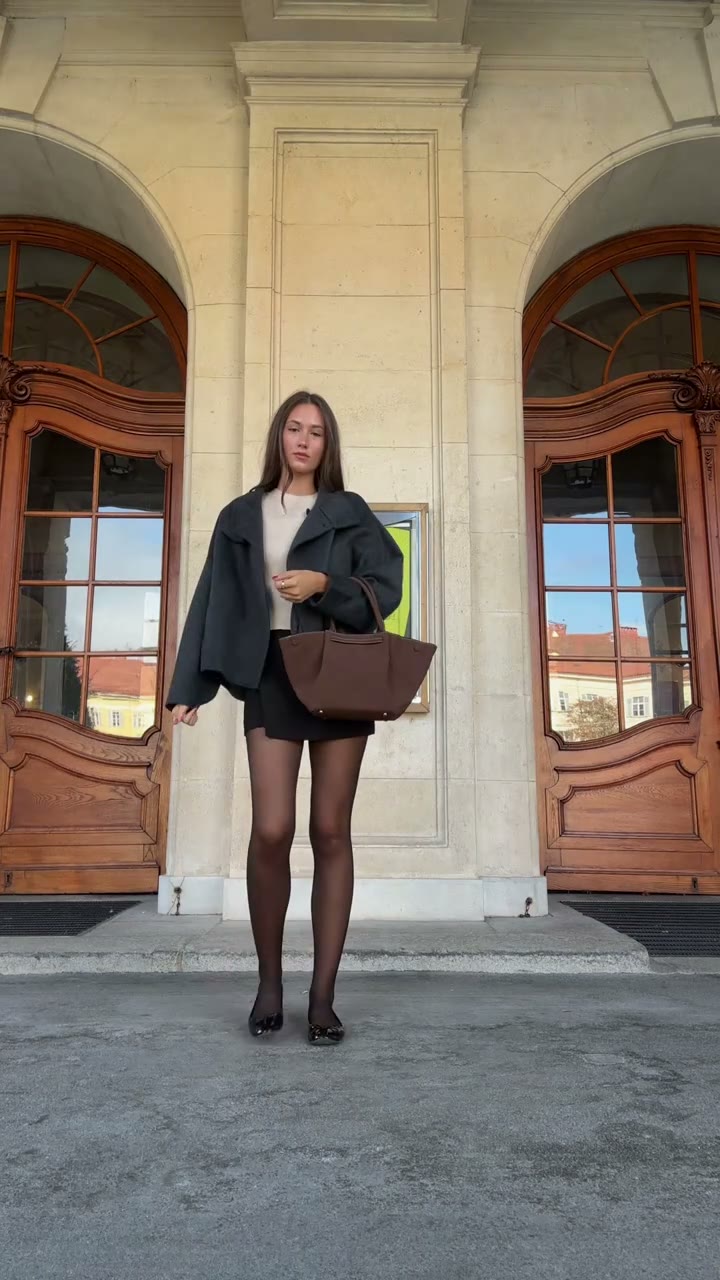
Arcade Fashion Walk AI is an outfit-focused motion effect with a solo model performing in a stone courtyard. Its close-to-wide-to-close sequence introduces the person, reveals the styled silhouette and brings them back toward the viewer. In AI Genjutsu, you supply one image of the person wearing the intended clothes. The template carries that whole appearance through the prepared poses, side and back turn, walk and expression. The doors, courtyard light and floor come from the video. This is a fashion scene set in an architectural arcade, so the name does not describe a video-game filter.

Arcade Fashion Walk AI prepared performance reference

How to create Arcade Fashion Walk AI

Arcade Fashion Walk AI already has its performance reference loaded. Prepare the images for your version.

  1. STEP 1

    Cast your Arcade Fashion Walk AI scene

    Select one styled-person image with a clear silhouette and enough detail to establish the full outfit.

  2. STEP 2

    Choose settings for Arcade Fashion Walk AI

    Upload one person photo to the assigned positions. Review the resolution and credit quote, then sign in and generate. Uploading an image alone does not start the job.

  3. STEP 3

    Keep your preferred Arcade Fashion Walk AI take

    Watch the back turn and returning close-up, then check that the look still matches the styling you intended. Open the finished attempt in My creations and download the take you want to keep.

Make Arcade Fashion Walk AI your own

Choose the appearance, follow the prepared action and shape a clip around your idea.

Let Arcade Fashion Walk AI present the whole look

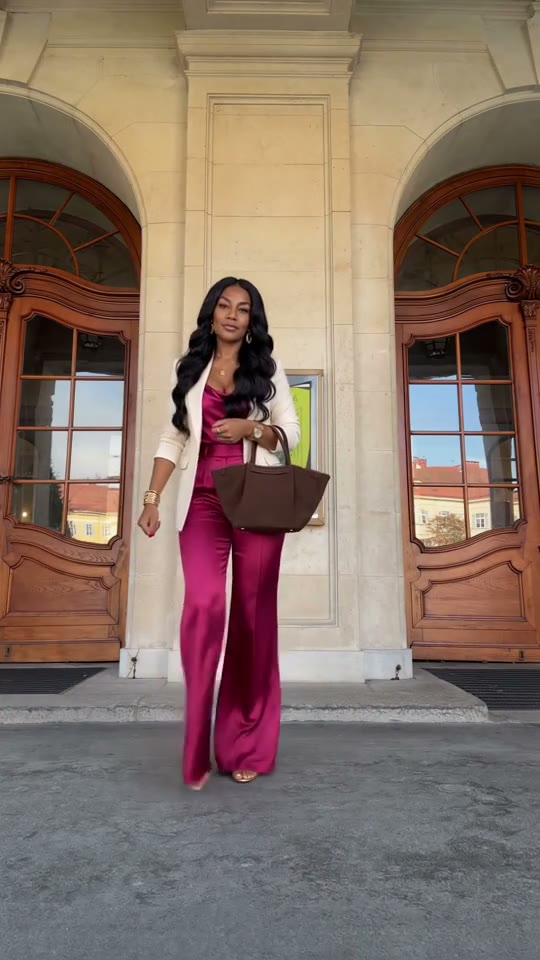
A still image can show a beautiful outfit without showing how its overall shape reads through a sequence. Arcade Fashion Walk AI adds a prepared walk and turn to the look you select. Use an image with enough of the person visible to establish proportions, layers and footwear. The photograph controls the styled character as a whole; there are no separate garment slots to assemble a new wardrobe. This works well for exploring a character’s fashion direction or presenting a personal outfit. Small prints and unseen garment details remain generated interpretations, so the video should not stand in for a verified product demonstration.
Let Arcade Fashion Walk AI present the whole look

Frame your outfit with Arcade Fashion Walk AI

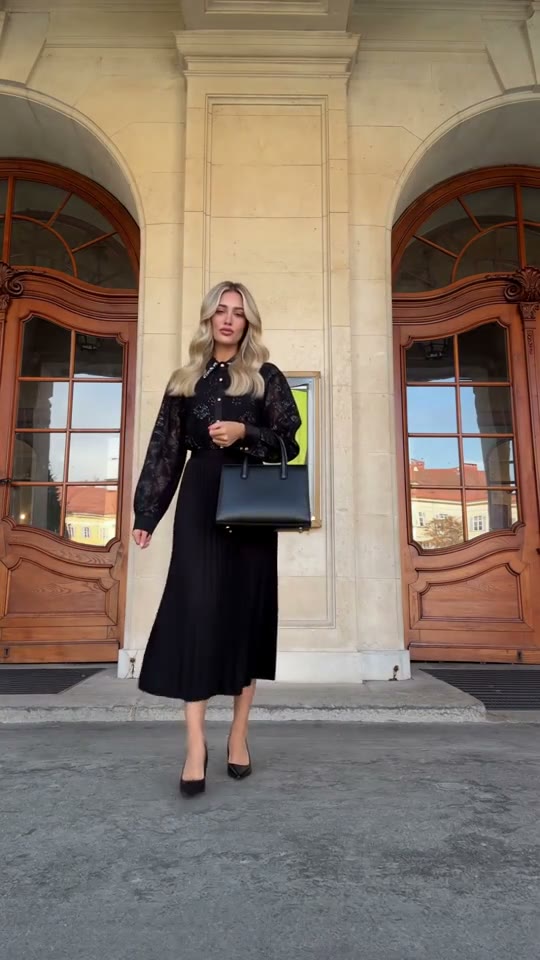
The setting in Arcade Fashion Walk AI gives the model room to move without a crowd competing for attention. The source’s stone surfaces, doors and light frame the walk while your image defines the subject. The step away from the camera opens space around the outfit; the turn changes the silhouette; the final approach returns attention to the person. You can use those beats to introduce a look without filming at that location. The effect keeps one continuous outfit, so a planned before-and-after clothing reveal would need a different prepared scene.

Frame your outfit with Arcade Fashion Walk AI

Build a complete style post with Arcade Fashion Walk AI

Arcade Fashion Walk AI has a natural short-form arc, making it useful when a post needs more than an isolated pose. Show the initial close-up, let the complete look become visible, then use the return as the closing moment. If you are exploring several looks, generate them separately and choose the strongest result for your own edit. Review the back turn before deciding: a front photo may not reveal how the rear of a jacket or hairstyle should look. Keep the clip that communicates your intended styling rather than assuming every new attempt will preserve every detail.

Build a complete style post with Arcade Fashion Walk AI

Plan your Arcade Fashion Walk AI edit

Start with the creative direction, then check that the template’s cast and scene fit.

The mood to create

A moving outfit portrait with a restrained architectural backdrop.

Your preparation

Have one person photo ready. Clear subject details matter more than matching the background of the original performance.

The fixed part of the scene

The photo defines one complete outfit; exact garment construction and fit are not measured.

Arcade Fashion Walk AI generation credits

Review the quote for the prepared clip and your chosen output settings before submitting. Browsing this scene is separate from starting a generation.

Starter

For your first ideas.

$8.3/month

$100.0 charged yearly

2,400 credits/year

Up to 400 images

GPT Image 2Nano Banana Pro

Up to 133 videos

Seedance 2.5Kling 3.0 Motion Control
  • Up to 4K images and HD videos, depending on the model
  • Image editing, video creation & motion transfer
  • Watermark-free image & video downloads
  • Generation history in your account
Popular40% OFFSave $238.8

Pro

For a steady creative flow.

$30.0/month$49.9/month

$360.0 charged yearly

21,600 credits/year

Up to 3,600 images

GPT Image 2Nano Banana Pro

Up to 1,200 videos

Seedance 2.5Kling 3.0 Motion Control
  • Up to 4K images and HD videos, depending on the model
  • Image editing, video creation & motion transfer
  • Watermark-free image & video downloads
  • Generation history in your account
  • Use credits across image and video models
Best Value50% OFFSave $599.8

Business

For more creations, more often.

$49.9/month$99.9/month

$599.0 charged yearly

48,000 credits/year

Up to 8,000 images

GPT Image 2Nano Banana Pro

Up to 2,666 videos

Seedance 2.5Kling 3.0 Motion Control
  • Up to 4K images and HD videos, depending on the model
  • Image editing, video creation & motion transfer
  • Watermark-free image & video downloads
  • Generation history in your account
  • Use credits across image and video models

Basic

$0

Try before you subscribe

  • 18 one-time signup credits
  • Generation history included
  • Watermarked previews & downloads
  • Up to 3 images or 1 video
  • Watermark-free downloads require payment

Prices in USD; taxes and total shown at checkout. Subscriptions renew automatically; cancel in Billing settings. Subscription credits expire each period; one-time credits never expire. Refund requests: within 72 hours. Eligible refunds deduct used purchased credits and, where permitted, actual non-returned processing fees. Processing fees are capped at 6% of the original purchase amount, excluding separately charged taxes. Terms · Refund Policy.

Arcade Fashion Walk AI: questions before generating

Inputs, scene choices, sound and the conditions to check before starting.

How should I style my Arcade Fashion Walk AI input?

Photograph the person wearing the look you actually want to animate. Show the body outline and footwear where possible, and keep important accessories visible. A clear single-person image gives the template a more coherent style reference than a collage of clothes.

Is Arcade Fashion Walk AI a virtual try-on tool?

The image supplies a person and their existing outfit together. There is no separate clothing upload, size selection or fit measurement. Use it for a creative outfit video, with generated details reviewed afterward.

What movement does Arcade Fashion Walk AI provide?

The roughly 15-second portrait routine begins near the camera, steps back, turns through side and back angles, walks forward and ends close again. Those movements are already in the reference; you do not need to perform them yourself.

Will the Arcade Fashion Walk AI outfit stay the same?

The prepared instructions ask for one outfit and the same accessories throughout. Generated details can still shift, particularly on the back view. Check the entire rotation and final approach for changed hems, bags, hair or shoes.

Can Arcade Fashion Walk AI use a different courtyard or another model?

This version has one model role and a fixed courtyard scene. Uploading a group photograph does not add a choreographed runway pair. Choose a different reference in the main workspace when the place or cast needs to change.

Is sound part of Arcade Fashion Walk AI?

Yes. Arcade Fashion Walk AI pairs the new visuals with the reference soundtrack. It does not create a new voice or offer a song selector. Listen to the preview and check the completed download with sound.

How do I start Arcade Fashion Walk AI without writing instructions?

The reference and instructions are already loaded in Arcade Fashion Walk AI. Upload the required photos, check your settings and generate. Existing drafts retain their inputs; use the main workspace to choose a different performance.

How many credits does Arcade Fashion Walk AI use?

The Arcade Fashion Walk AI workspace shows the current quote for your settings. Sign in with sufficient credits before submitting. Browsing is free of generation charges; each new attempt uses its own quoted credits.

Can I rely on the Arcade Fashion Walk AI examples as guaranteed quality?

Examples show the intended effect, without guaranteeing your result. Review the full video and soundtrack before sharing. Use photos you have permission to edit, and check any footage or sound permissions for your intended use.

Put your idea into Arcade Fashion Walk AI

Bring one person photo to the workspace and confirm the cast before generating.

Arcade Fashion Walk AI community interpretation of the prepared scene