Create a video

Your pet · Photo 1

Daijoubu Dog Dance, cut by cut

Daijoubu Dog Dance is a short vertical gesture: paws near the face, a turn, and a cloud studio. One pet photo supplies the performer. The motion is already loaded.

What the Daijoubu Dog Dance frame is for

Daijoubu Dog Dance uses the same loaded performance as the cloud-studio pet gesture: about eight seconds in a vertical frame. The name on this page points at that paw-to-cheek routine. It does not add a second prompt, a second model, or a new video file. You still upload one pet. The useful work is visual. Decide whether this animal's face, fur, and any scarf or collar should be the thing moving through the close-ups and the wider turn. The official song recording associated with the title is context for the name only. This page does not transcribe lyrics, and it does not claim that a generated clip inherits performance rights. Examples below reuse the cloud-studio cases so you can compare coats. They are not new footage shot for a different dance.

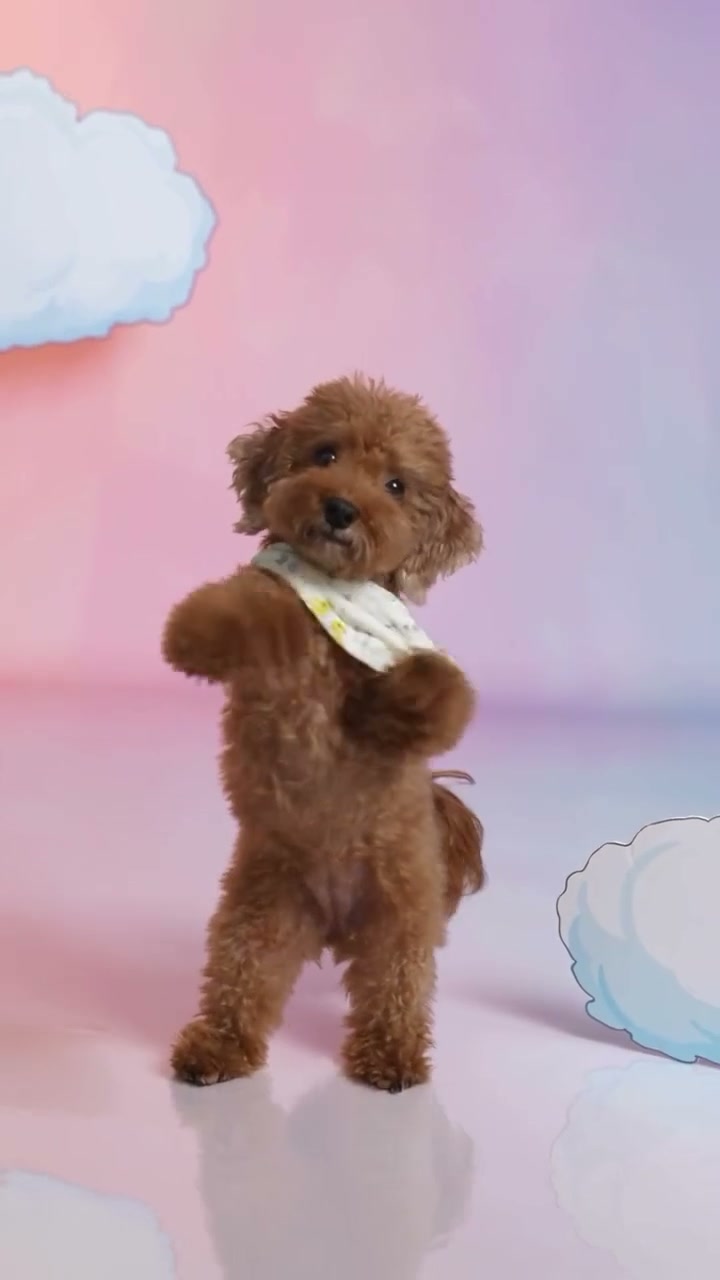
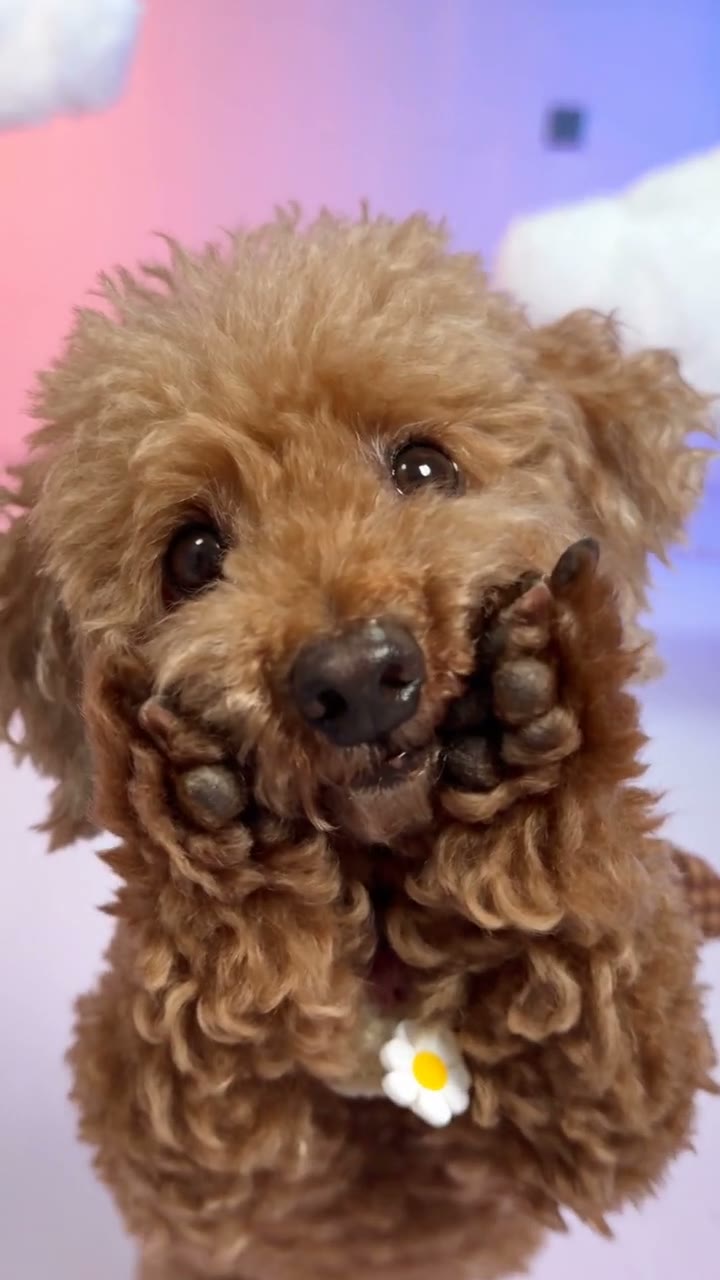
A curly-coated dog in the cloud studio, paws raised beside the cheeks.

Test a Daijoubu Dog Dance likeness

One photo, then both camera distances.

  1. STEP 1

    Upload the pet you can recognize twice

    Use one picture with a clear face and the accessory you want. The cloud studio and the paw motion are already in the reference.

  2. STEP 2

    Submit only after the cost is visible

    Generate shows the credits for the chosen resolution. Signing in happens when the request needs an account. Replacing the photo before that does not start the edit.

  3. STEP 3

    Compare the close-up with the turn

    In My creations, watch both framings. The Daijoubu Dog Dance result should still be one pet, with the soundtrack present, before you download it.

Three coats, one Daijoubu Dog Dance gesture

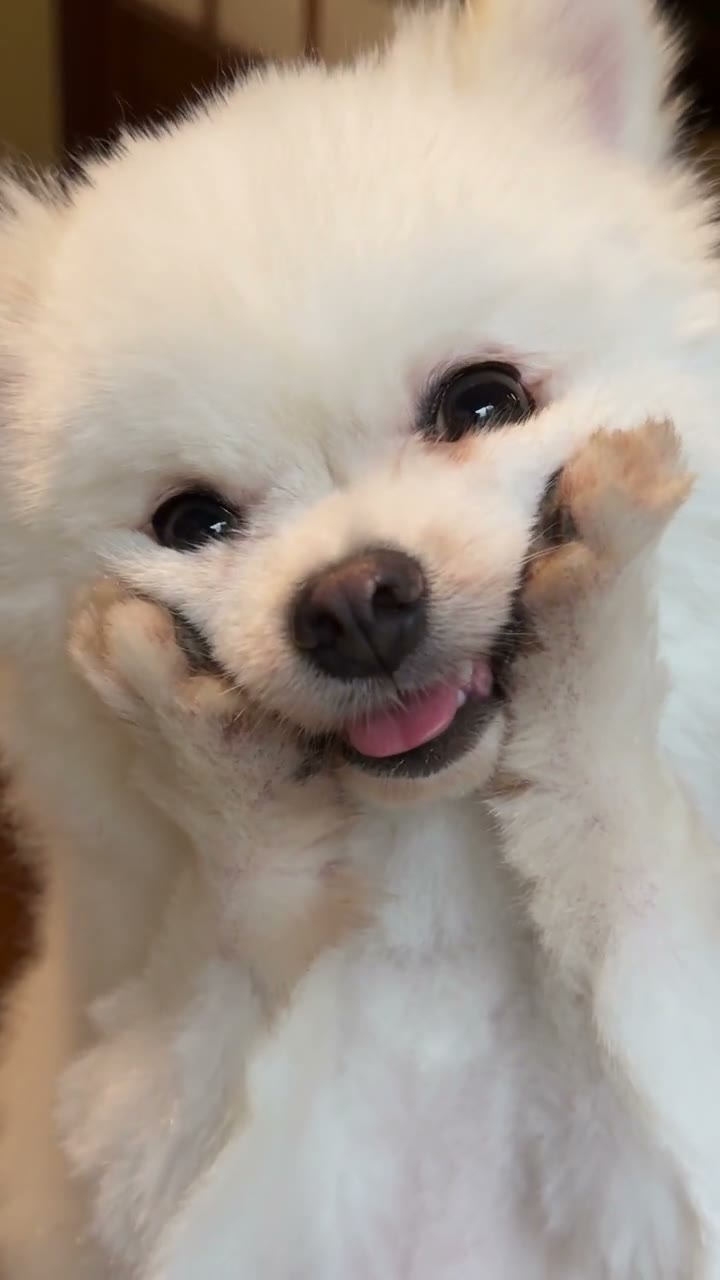
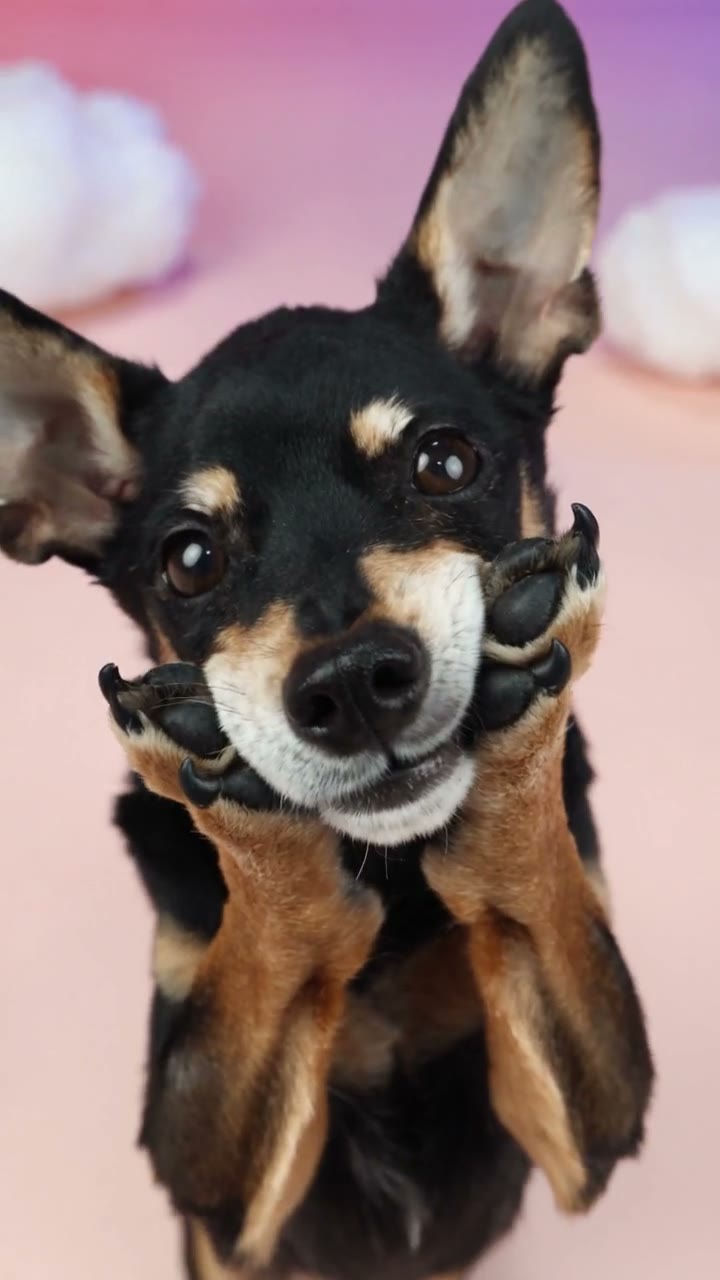
Curly, cream, and black-and-tan examples show how a coat reads across the same cuts. Your photo is the coat you will have to recognize.

Read the paw gesture before you trust the portrait

The Daijoubu Dog Dance gesture is small and easy to fake in a still. Paws rise beside the face, the body shifts, and the camera moves between a close view and more of the torso. Your photo should show the muzzle, ears, and chest if you care about those shapes when the paws come up. A bandana or bow in the photo is part of the appearance, so look for it in both the tight shot and the turn. You do not need a photo of the pet already standing on its hind legs. The reference supplies the pose. A seated snapshot can still be the likeness source. What it cannot do is invent a second dancer. This is a solo. If the paws melt into the scarf, or if a second head appears when the camera pulls back, the gesture did not stay attached to one body.
Read the paw gesture before you trust the portrait

The same pet has to survive every Daijoubu Dog Dance cut

Count the cuts, not the charm of the first frame. The close-up and the wider view should be the same animal: same ear set, same coat breaks, same accessory. Cloud colors can glow behind the pet without replacing the pet's outline. If the fur lightens only in the close-up, that is drift. If the paw count changes when the paw crosses the cheek, that is a broken gesture even though the clouds look soft. The restored soundtrack is part of the finished file, not part of the muted examples. Play your result with sound and with the picture. About eight seconds is short enough to watch twice. Generate shows the current quote for your selected resolution. Daijoubu Dog Dance and Otsukare Summer use the same performance, so changing between these tools does not change the choreography. The check you are doing here is the gesture and the cut.

The same pet has to survive every Daijoubu Dog Dance cut

Use Daijoubu Dog Dance when the gesture is the subject

Pick this page when you want the paw move and the cloud cuts checked on your animal, not a longer argument or a multi-look wardrobe.

A scarf or collar as a marker

A simple accessory gives you a landmark in the close-up and again when the body turns. If it vanishes between cuts, the likeness did not hold.

A coat with a hard edge

A dark ear, a mask, or a patch is easier to track than a uniform cream coat. Use that edge as the test, not the softness of the clouds.

A separate page from the other cloud dance

Both tools use the same dance and accept one pet photo. Choose a clear view of your pet, then check that its markings stay recognizable through the close-up and wider shot.

Daijoubu Dog Dance credits

The reference lasts about eight seconds. Its duration and your resolution determine the quote. Read Generate for the current amount. A different tool's price does not apply here.

Starter

For your first ideas.

$8.3/month

$100.0 charged yearly

2,400 credits/year

Up to 400 images

GPT Image 2Nano Banana Pro

Up to 133 videos

Seedance 2.5Kling 3.0 Motion Control
  • Up to 4K images and HD videos, depending on the model
  • Image editing, video creation & motion transfer
  • Watermark-free image & video downloads
  • Generation history in your account
Popular40% OFFSave $238.8

Pro

For a steady creative flow.

$30.0/month$49.9/month

$360.0 charged yearly

21,600 credits/year

Up to 3,600 images

GPT Image 2Nano Banana Pro

Up to 1,200 videos

Seedance 2.5Kling 3.0 Motion Control
  • Up to 4K images and HD videos, depending on the model
  • Image editing, video creation & motion transfer
  • Watermark-free image & video downloads
  • Generation history in your account
  • Use credits across image and video models
Best Value50% OFFSave $599.8

Business

For more creations, more often.

$49.9/month$99.9/month

$599.0 charged yearly

48,000 credits/year

Up to 8,000 images

GPT Image 2Nano Banana Pro

Up to 2,666 videos

Seedance 2.5Kling 3.0 Motion Control
  • Up to 4K images and HD videos, depending on the model
  • Image editing, video creation & motion transfer
  • Watermark-free image & video downloads
  • Generation history in your account
  • Use credits across image and video models

Basic

$0

Try before you subscribe

  • 18 one-time signup credits
  • Generation history included
  • Watermarked previews & downloads
  • Up to 3 images or 1 video
  • Watermark-free downloads require payment

Prices in USD; taxes and total shown at checkout. Subscriptions renew automatically; cancel in Billing settings. Subscription credits expire each period; one-time credits never expire. Refund requests: within 72 hours. Eligible refunds deduct used purchased credits and, where permitted, actual non-returned processing fees. Processing fees are capped at 6% of the original purchase amount, excluding separately charged taxes. Terms · Refund Policy.

Daijoubu Dog Dance, without mixing it up with a longer pet clip

One photo, shared footage, separate address, and the cuts to review.

How many photos does Daijoubu Dog Dance need?

One pet. That photo replaces the only performer in the close-up and in the wider turn. You do not upload a dance video or a music file. A group photo makes the subject ambiguous, so crop to the animal you mean or choose another picture.

Is this a different video from Otsukare Summer Dog AI?

No. Both tools use the same cloud-studio performance and accept one pet photo. Switching pages will not produce a different dance. Compare your pet across the face close-up and the wider paw gesture to decide whether to keep the result.

Does the pet have to already be dancing?

No. A clear sitting or standing photo is a likeness source. The reference supplies the raised paws and the turn. Show enough of the chest and face that those poses have something to attach to.

Can I use a cat?

You can try. The gesture is built around a small dog's paws and upright posture. A cat may bend differently. Look at both framings before you keep the file. There is no separate cat slot.

Do I write a prompt?

No. The fixed instructions stay with the reference. You add the pet and choose a resolution. Restored drafts keep their saved photo and settings.

How long is it?

About eight seconds, vertical. Check Generate for the current cost. There is no control here for a longer dance or a different aspect. Resolution changes size, not the gesture.

Where is the audio?

On the finished result. The edit restores the reference soundtrack. Examples on the page can stay muted while you study the picture. If your file reports an audio-processing issue, use the recovery action on that result.

What fails a cut check?

The close-up and the wider shot show different ear shapes, the scarf jumps sides, a paw splits when it crosses the cheek, or a second animal appears at the edge. Any one of those is enough to discard the take.

Where do I download Daijoubu Dog Dance?

My creations or video history. Saving the file does not run the edit again. A new photo is a new request, priced at the amount Generate shows then.

Does the page grant the song or the footage?

No. Use a pet photo you can edit. The reference and its soundtrack stay subject to their own rights. The public title of the routine is only naming context. Label the output as an AI edit when you publish it.

Check the Daijoubu Dog Dance cuts

One pet photo. Watch the close-up and the turn before you keep the clip.

A bandana-wearing puppy in a pink and blue cloud studio, paws lifted near the face.