Create a video

Driver · Photo 1

Flying Tesla Roadster AI with one person

Flying Tesla Roadster AI is the traffic joke also called Day 1 of Owning a Roadster. Your photo becomes the driver. The car, the street, and the coffee stay in the reference.

What is Flying Tesla Roadster AI?

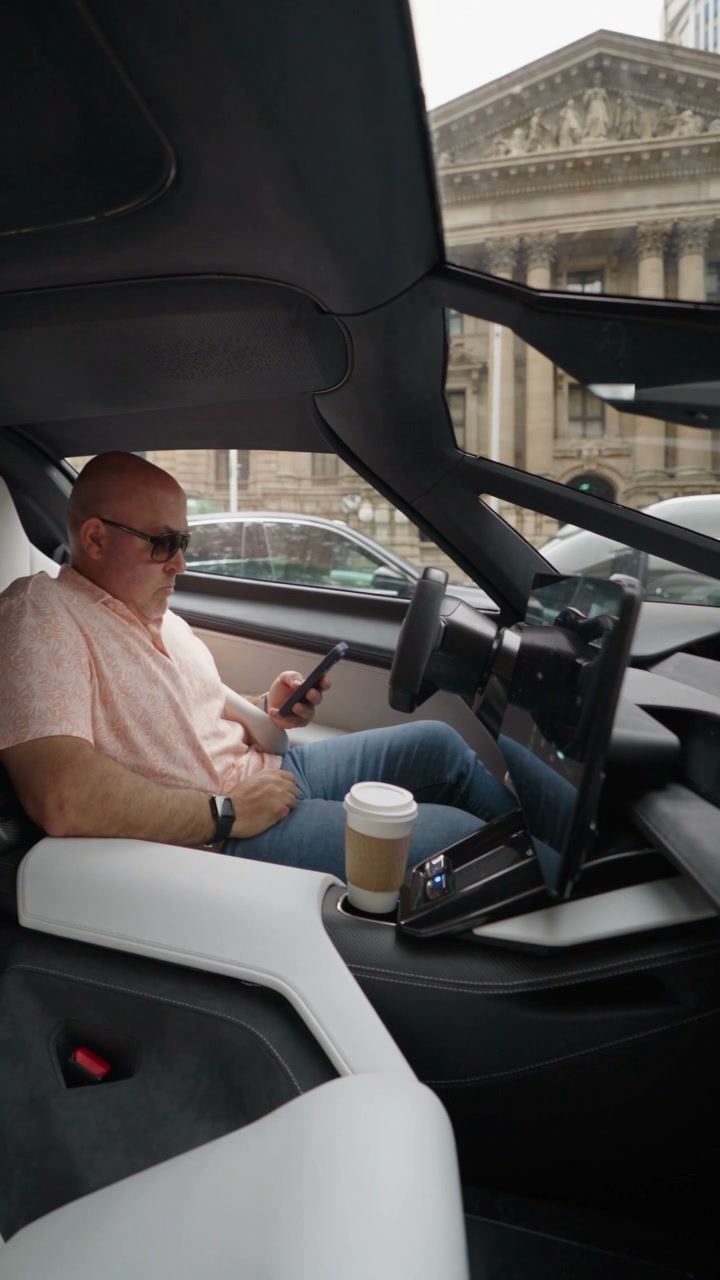
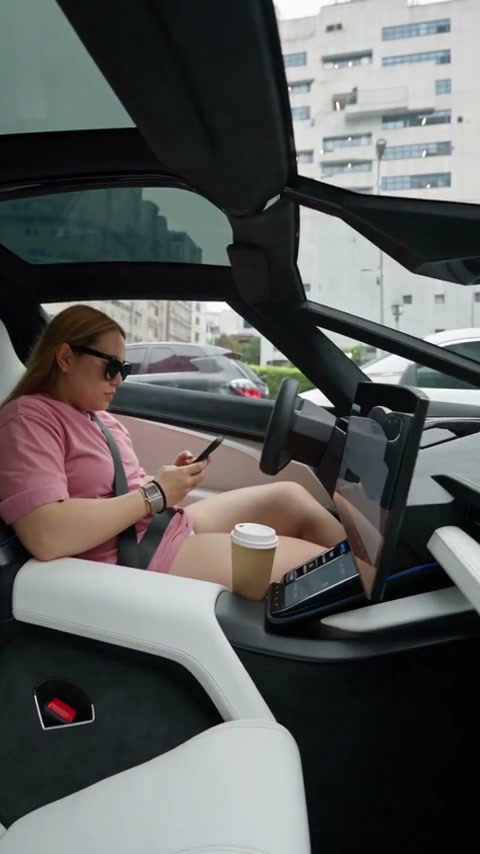
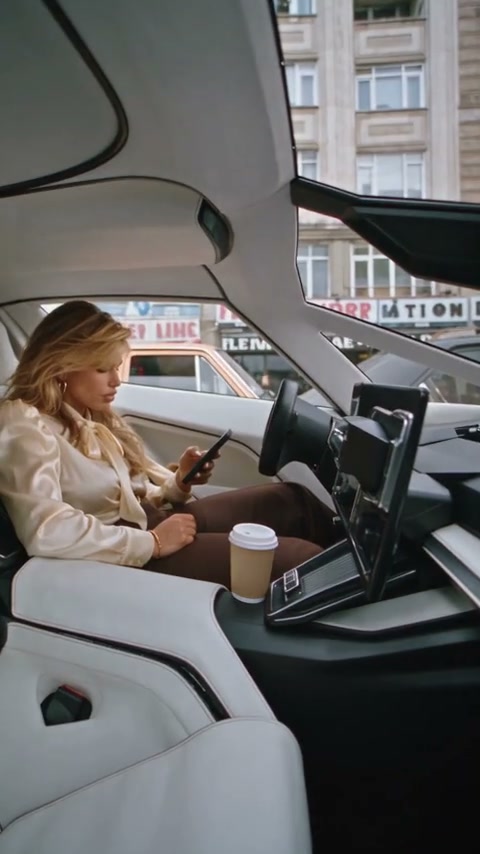
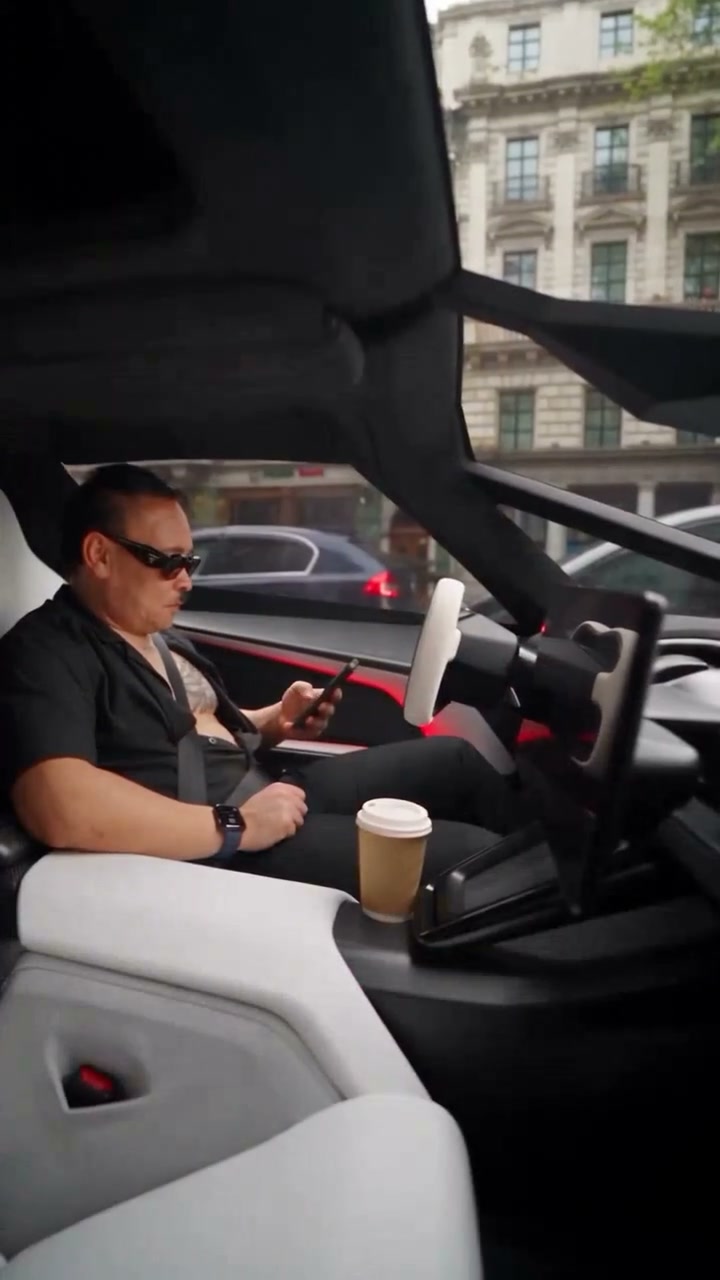
Flying Tesla Roadster AI puts a person into the Day 1 of Owning a Roadster coffee gag. In the roughly 13-second vertical reference, the driver presses a button beside a bus, the car lifts and flips, and the camera returns as coffee hits the driver. The upload supplies the person’s appearance and clothes. The surrounding traffic and the vehicle are outside that replacement. This makes the page useful when the joke depends on who experiences the spill: you can focus on the portrait while the prepared scene supplies the action. The examples show different driver treatments; they are community variations rather than promises of an exact result. Inspect the loaded reference before choosing your photo.

A community street take of the same liftoff idea, with a different driver treatment.

How do you make a Flying Tesla Roadster AI clip?

One person, the loaded street, then the splash.

  1. STEP 1

    Choose the person who gets the coffee

    Upload one photo of one person. Show the face and the outfit. A normal portrait is enough.

  2. STEP 2

    Read the 14-second quote

    The reference is about 13 seconds. This page quotes a 14-second duration setting plus the resolution you select. Uploading the photo is free.

  3. STEP 3

    Watch the face after the splash

    In My creations, compare the face before liftoff with the face after the spill, and check that the coffee lands on the same clothes.

Same coffee gag, different drivers

The street examples show the flip. Your photo is the driver in the request.

What photo does the coffee clip need?

One photo of one person. Show the face and the clothes that should still be recognizable after coffee hits them. A clear upper body is more useful than a distant street photo where the face is a few pixels. A normal portrait is enough. The reference already has the seat, the wheel, and the cabin, so the upload can stay a plain photo of the person. A second person makes the driver ambiguous. The gestures are a human hand on a button and an arm reacting to a spill, so the subject is a person. The white car in traffic stays the reference car. A different outfit means a new photo in the same single slot.
What photo does the coffee clip need?

How can I tell whether the coffee edit worked?

Check the driver on each side of the exterior flip. The face, hairstyle, and shirt should identify the same person when the camera returns to the cabin. Then pause around the spill: look for a coherent hand, cup, and sleeve instead of judging only the first frame. The liquid may hide clothing temporarily, so compare a frame before the splash with one after it settles. A changed neckline or jacket color is a different issue from a shirt becoming wet. The fixed edit asks to retain the reference action, not to produce a new driving performance from your photo. Finish by playing the saved result with sound. The reference track is restored after the picture edit; checking the final file verifies that the splash and its soundtrack arrive together.

How can I tell whether the coffee edit worked?

Which driver photo survives the coffee?

The last frames are a stained shirt and a cabin close-up. The person has to be obvious before the spill.

A face the cabin can match

A hairline, a beard, or glasses give the close-up something stable. A front-facing head gives the later cabin shot an identity to match.

Clothes that show a stain

A pale, simple shirt makes the splash visible. A busy pattern can hide whether the stain landed or whether the shirt changed. Look at the color again after the flip.

One person in the frame

A friend beside the subject can become a second driver or a smeared shoulder. Crop to the person you mean, or take another photo.

What does Flying Tesla Roadster AI cost?

Use the figure on Generate. The 14-second duration setting and the selected resolution determine this quote.

Starter

For your first ideas.

$8.3/month

$100.0 charged yearly

2,400 credits/year

Up to 400 images

GPT Image 2Nano Banana Pro

Up to 133 videos

Seedance 2.5Kling 3.0 Motion Control
  • Up to 4K images and HD videos, depending on the model
  • Image editing, video creation & motion transfer
  • Watermark-free image & video downloads
  • Generation history in your account
Popular40% OFFSave $238.8

Pro

For a steady creative flow.

$30.0/month$49.9/month

$360.0 charged yearly

21,600 credits/year

Up to 3,600 images

GPT Image 2Nano Banana Pro

Up to 1,200 videos

Seedance 2.5Kling 3.0 Motion Control
  • Up to 4K images and HD videos, depending on the model
  • Image editing, video creation & motion transfer
  • Watermark-free image & video downloads
  • Generation history in your account
  • Use credits across image and video models
Best Value50% OFFSave $599.8

Business

For more creations, more often.

$49.9/month$99.9/month

$599.0 charged yearly

48,000 credits/year

Up to 8,000 images

GPT Image 2Nano Banana Pro

Up to 2,666 videos

Seedance 2.5Kling 3.0 Motion Control
  • Up to 4K images and HD videos, depending on the model
  • Image editing, video creation & motion transfer
  • Watermark-free image & video downloads
  • Generation history in your account
  • Use credits across image and video models

Basic

$0

Try before you subscribe

  • 18 one-time signup credits
  • Generation history included
  • Watermarked previews & downloads
  • Up to 3 images or 1 video
  • Watermark-free downloads require payment

Prices in USD; taxes and total shown at checkout. Subscriptions renew automatically; cancel in Billing settings. Subscription credits expire each period; one-time credits never expire. Refund requests: within 72 hours. Eligible refunds deduct used purchased credits and, where permitted, actual non-returned processing fees. Processing fees are capped at 6% of the original purchase amount, excluding separately charged taxes. Terms · Refund Policy.

Flying Tesla Roadster AI questions

The Day 1 clip, the driver photo, the street that stays, and the download.

Is Flying Tesla Roadster AI the Day 1 of Owning a Roadster clip?

Yes. Flying Tesla Roadster AI recreates the Day 1 of Owning a Roadster coffee-spill gag: the driver presses a button, the car lifts off, and the shot returns to the cabin for the splash.

How many photos does it accept?

One person. That photo is the driver for every shot, including the splash. The car and the street stay in the reference.

Do I need a photo taken in a car?

No. Use a portrait with an identifiable face and visible upper-body clothing. The existing clip supplies the seated pose and driving environment, so a clear everyday photo is a more useful input than a distant shot taken through a windscreen.

Will my photo replace the car?

The car, the traffic, and the street stay with the reference. Your photo is the driver.

Can I use a pet?

This preset is configured for a human driver. Its button press and spill reaction rely on a person’s hands and arms; a pet is outside that intended input. Choose a person for this scene.

Do I write a prompt?

No prompt is required or exposed here. Seedance 2.5 Edit receives the prepared driver replacement and the fixed coffee sequence. Your choices are the portrait and resolution, so changing the text cannot move the spill to a different scene.

How long is the result?

The reference is about 13 seconds. The duration setting on the quote is 14 seconds. Changing resolution changes the credit amount. A new attempt is a new request.

Does the clip keep the original sound?

Yes. The picture is generated without new model audio, then the reference soundtrack is restored. Listen in My creations, especially around the splash.

Is this an official Tesla video or something to try on the road?

AI Genjutsu is an independent editor. The liftoff is a generated scene for the screen.

Can I publish it, and where do I download it?

The saved clip is available in My creations and video history. Sharing requires suitable permission for the portrait and for the footage and audio carried into the edit. Check those separately from whether generation succeeded, and follow the destination’s rules for labeling synthetic video.

Why does the shirt look different after the coffee spill?

First compare dry frames before liftoff and after the cabin returns: a wet patch can obscure a pattern without changing the outfit. If the neckline, sleeves, or base color also change, the clothing has drifted. A portrait showing the full upper body gives the edit clearer clothing information. A new attempt may help, but exact fabric and liquid details are not assured.

Put one person in the Flying Tesla Roadster AI seat

The street and the car stay. Your photo is the driver who presses the button and wears the coffee.

A white sports car in city traffic, with the driver visible before the liftoff.