Create a video

Car · Photo 1

Toy Car to Real Car AI Video Generator

Give a favorite car a miniature-to-road reveal. Toy Car to Real Car AI starts on a train windowsill and carries the design through a tunnel into a full-size night drive. One car photo supplies the look; reference sound accompanies the result.

What is Toy Car to Real Car AI?

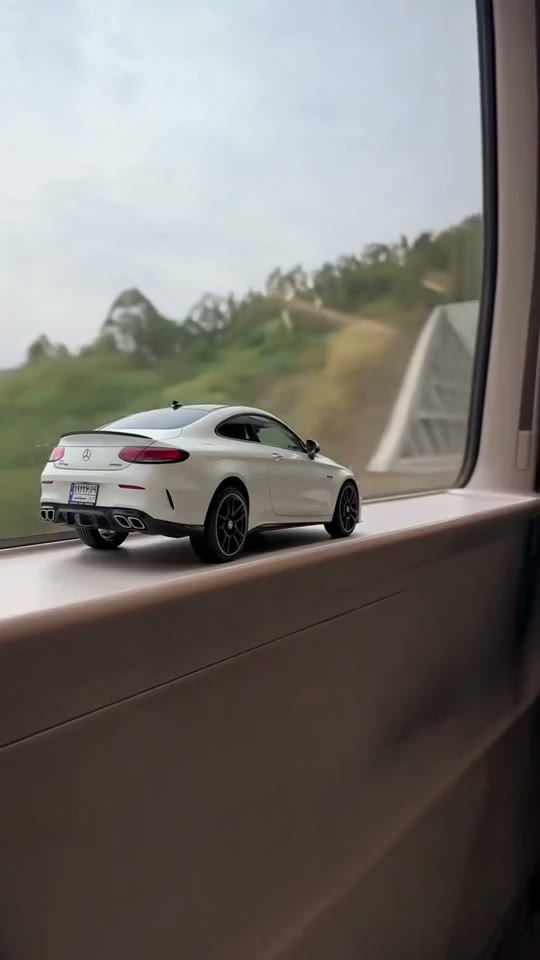
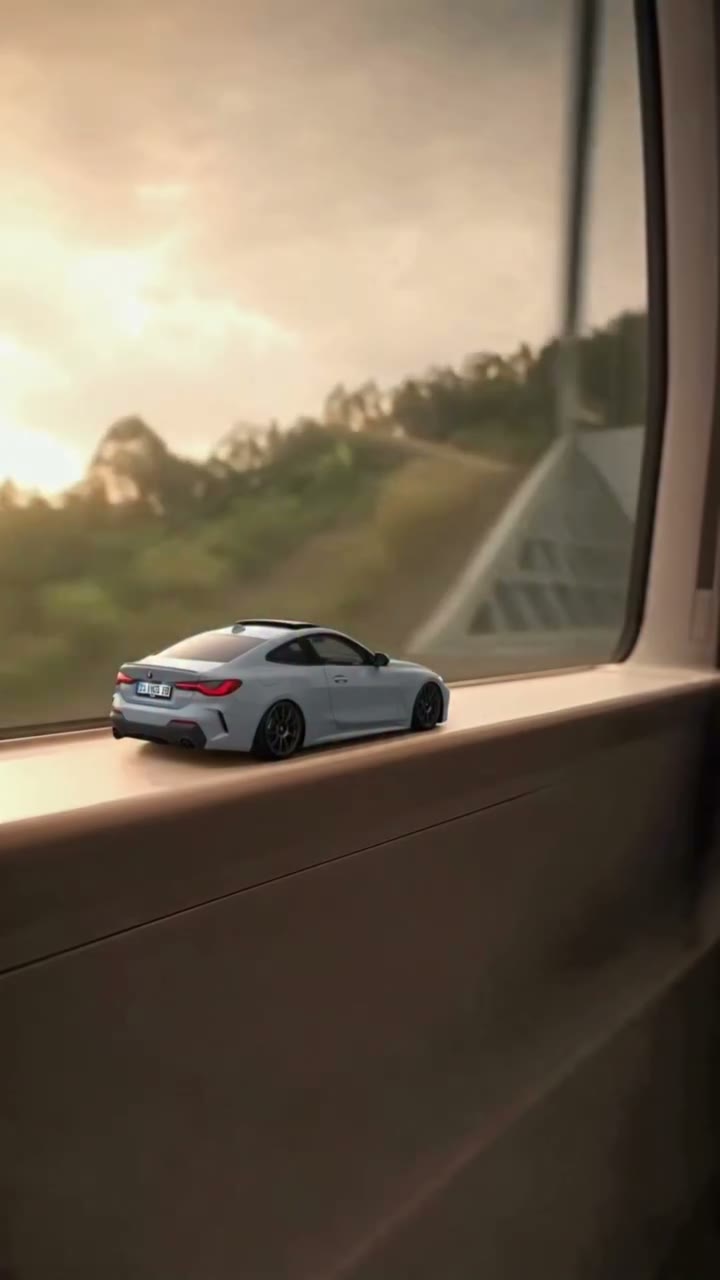
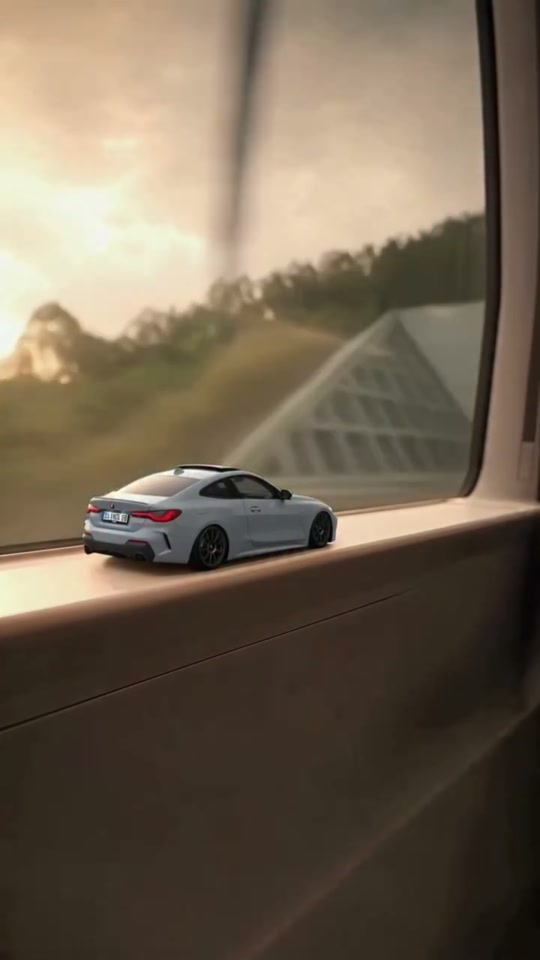
Toy Car to Real Car AI is a scale-transition effect for a single vehicle. A small car sits on a train windowsill before the scene passes through a tunnel and reveals the same design driving at full size on a night road. AI Genjutsu takes one car photograph as the visual guide for both versions. Body proportions, paint, wheels, windows and lights are the details intended to connect the two scales. The reference contributes the train, transition, road lighting and camera work, giving your chosen vehicle a prepared short story.

Toy Car to Real Car AI prepared performance reference

How to create Toy Car to Real Car AI

Toy Car to Real Car AI already has its performance reference loaded. Prepare the images for your version.

  1. STEP 1

    Cast your Toy Car to Real Car AI scene

    Pick one vehicle image with a complete body outline and clearly visible design details. Watch both scales in the reference.

  2. STEP 2

    Choose settings for Toy Car to Real Car AI

    Upload one car photo to the assigned positions. Review the resolution and credit quote, then sign in and generate. Uploading an image alone does not start the job.

  3. STEP 3

    Keep your preferred Toy Car to Real Car AI take

    Follow the design across the tunnel transition and check the final driving shot for changes to the body, wheels or lights. Open the finished attempt in My creations and download the take you want to keep.

Make Toy Car to Real Car AI your own

Choose the appearance, follow the prepared action and shape a clip around your idea.

Make the miniature recognizable in Toy Car to Real Car AI

The opening works when viewers can identify the car before the reveal. Toy Car to Real Car AI uses the design from your image at miniature scale, so choose a view that explains the vehicle’s shape rather than only its badge. A complete three-quarter view can expose the roofline, front or rear styling, and wheels together. The template does not require a physical toy; it creates that interpretation from the vehicle reference you supply.
Make the miniature recognizable in Toy Car to Real Car AI

Carry one design through Toy Car to Real Car AI

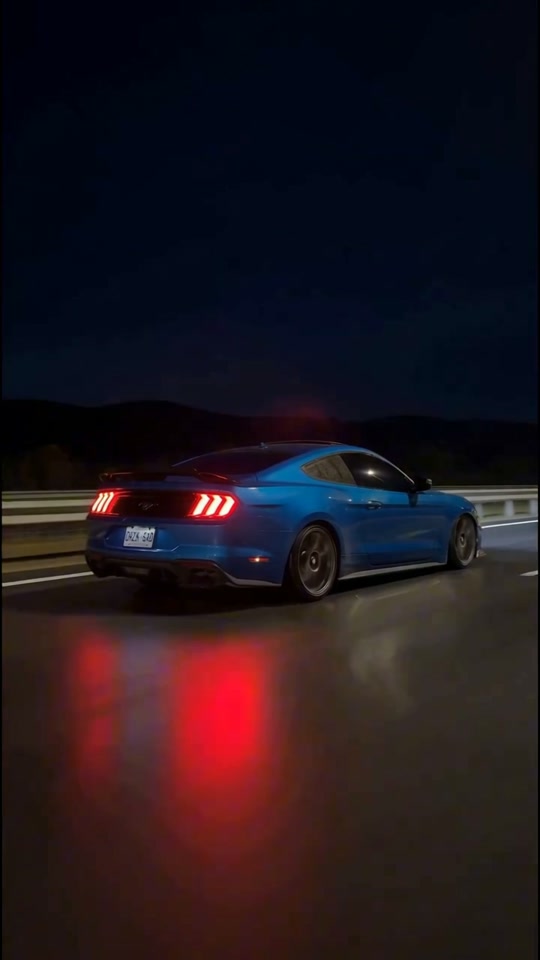
Toy Car to Real Car AI makes the tunnel passage the link between the quiet window scene and the moving road shot. Both use the same car image instead of separately chosen before-and-after vehicles. Night reflections can make a paint color appear different, so compare structural details as well: the windows, headlight layout, roof and wheel positions should tell a consistent story. Small logos and plate text remain details to inspect, not reliable proof of an exact vehicle specification.

Carry one design through Toy Car to Real Car AI

Build a scale-reveal edit with Toy Car to Real Car AI

Use Toy Car to Real Car AI to imagine a favorite model leaving its display setting, introduce a vehicle concept or make a dream-car post. The miniature opening matters: it sets up the contrast that makes the road shot satisfying. Keep both parts when selecting an excerpt for a short edit. You can try different cars in separate generations, but the one-photo template is designed around one vehicle per clip. An object transformation, garage unveil or multi-view assembly is a different visual task and may be better served by another car effect.

Build a scale-reveal edit with Toy Car to Real Car AI

Plan your Toy Car to Real Car AI edit

Start with the creative direction, then check that the template’s cast and scene fit.

The mood to create

A miniature-to-road story centered on one favorite vehicle.

Your preparation

Have one car photo ready. Clear subject details matter more than matching the background of the original performance.

The fixed part of the scene

The effect changes scale within a fixed scene; it does not provide an exact product render.

Toy Car to Real Car AI generation credits

Review the quote for the prepared clip and your chosen output settings before submitting. Browsing this scene is separate from starting a generation.

Starter

For your first ideas.

$8.3/month

$100.0 charged yearly

2,400 credits/year

Up to 400 images

GPT Image 2Nano Banana Pro

Up to 133 videos

Seedance 2.5Kling 3.0 Motion Control
  • Up to 4K images and HD videos, depending on the model
  • Image editing, video creation & motion transfer
  • Watermark-free image & video downloads
  • Generation history in your account
Popular40% OFFSave $238.8

Pro

For a steady creative flow.

$30.0/month$49.9/month

$360.0 charged yearly

21,600 credits/year

Up to 3,600 images

GPT Image 2Nano Banana Pro

Up to 1,200 videos

Seedance 2.5Kling 3.0 Motion Control
  • Up to 4K images and HD videos, depending on the model
  • Image editing, video creation & motion transfer
  • Watermark-free image & video downloads
  • Generation history in your account
  • Use credits across image and video models
Best Value50% OFFSave $599.8

Business

For more creations, more often.

$49.9/month$99.9/month

$599.0 charged yearly

48,000 credits/year

Up to 8,000 images

GPT Image 2Nano Banana Pro

Up to 2,666 videos

Seedance 2.5Kling 3.0 Motion Control
  • Up to 4K images and HD videos, depending on the model
  • Image editing, video creation & motion transfer
  • Watermark-free image & video downloads
  • Generation history in your account
  • Use credits across image and video models

Basic

$0

Try before you subscribe

  • 18 one-time signup credits
  • Generation history included
  • Watermarked previews & downloads
  • Up to 3 images or 1 video
  • Watermark-free downloads require payment

Prices in USD; taxes and total shown at checkout. Subscriptions renew automatically; cancel in Billing settings. Subscription credits expire each period; one-time credits never expire. Refund requests: within 72 hours. Eligible refunds deduct used purchased credits and, where permitted, actual non-returned processing fees. Processing fees are capped at 6% of the original purchase amount, excluding separately charged taxes. Terms · Refund Policy.

Toy Car to Real Car AI: questions before generating

Inputs, scene choices, sound and the conditions to check before starting.

Can Toy Car to Real Car AI start from a full-size car photo?

Yes. The uploaded vehicle image guides both the miniature and full-size interpretations. A clear photograph of the real car is sufficient; a separate model-car picture and train recording are unnecessary.

What should be visible in a Toy Car to Real Car AI upload?

Keep the complete body, wheels and important lights in frame. Choose a photo with enough detail to separate the car from its surroundings. Extremely dark reflections or a crop of only one part make the overall design harder to interpret.

Does Toy Car to Real Car AI switch to a different vehicle?

The fixed instructions preserve one design across both scales. There is one vehicle slot and no second upload for a different road car. For a comparison, create separate videos from separate car photographs.

Can Toy Car to Real Car AI reproduce every model detail?

It requests recognizable shape and styling, but generation can alter badges, wheel spokes, lamps or plates. Compare the miniature with the road shots before sharing. Treat the result as a creative video, not an exact engineering or product visualization.

Which scene and duration are prepared?

Toy Car to Real Car AI uses a portrait reference of about 21.9 seconds. It includes the train windowsill, tunnel transition and night road. There is no built-in selector for another station, route or driving sequence.

Is sound part of Toy Car to Real Car AI?

Yes. Toy Car to Real Car AI pairs the new visuals with the reference soundtrack. It does not create a new voice or offer a song selector. Listen to the preview and check the completed download with sound.

How do I start Toy Car to Real Car AI without writing instructions?

The reference and instructions are already loaded in Toy Car to Real Car AI. Upload the required photos, check your settings and generate. Existing drafts retain their inputs; use the main workspace to choose a different performance.

How many credits does Toy Car to Real Car AI use?

The Toy Car to Real Car AI workspace shows the current quote for your settings. Sign in with sufficient credits before submitting. Browsing is free of generation charges; each new attempt uses its own quoted credits.

Can I rely on the Toy Car to Real Car AI examples as guaranteed quality?

Examples show the intended effect, without guaranteeing your result. Review the full video and soundtrack before sharing. Use photos you have permission to edit, and check any footage or sound permissions for your intended use.

Put your idea into Toy Car to Real Car AI

Bring one car photo to the workspace and confirm the cast before generating.

Toy Car to Real Car AI community interpretation of the prepared scene